Experiment
In daily use
Desk Notes
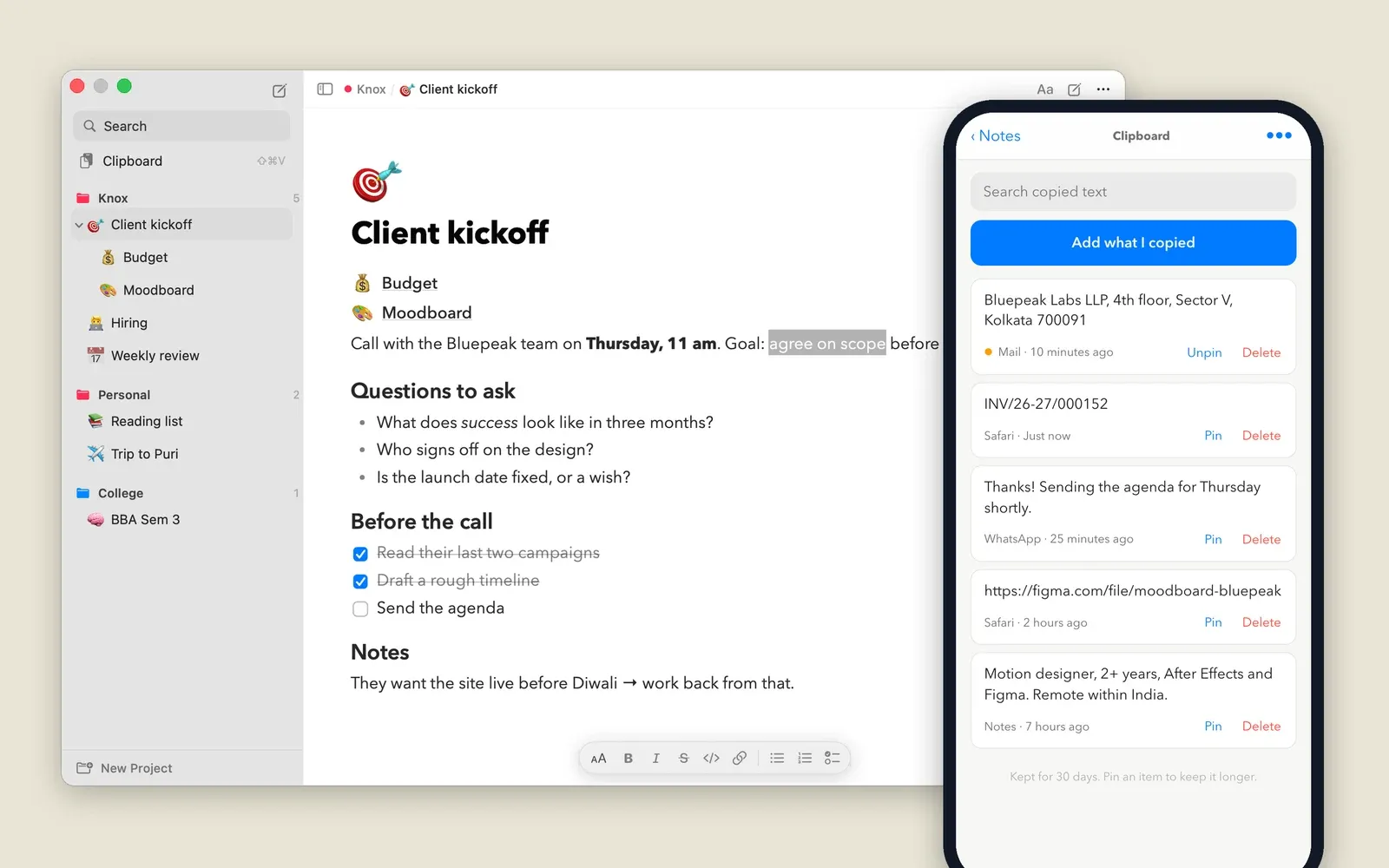
I wanted my notes on the desktop, grouped by project, and on my phone, without paying for iCloud space I don't have. So I built a small Mac app that syncs through my own server, and it remembers what I copy too.
- Role
- Product, design + build, solo
- Apparatus
- Swift · SwiftUI + AppKit · SQLite · Cloudflare Workers · D1 · TipTap · PWA
- Tags
The problem
I wanted one place for notes that sits on my desktop, small and out of the way, grouped by project, with pages inside pages. It had to be light enough to leave running all day, and it had to be on my phone too.
The usual answer for Mac-to-phone is iCloud, and my iCloud storage is always full. Paying for more space just to sync some text felt wrong when I already have a Cloudflare account doing nothing.
What I asked for
- On the desktopSmall by default, full screen when I want it. Float above everything, sit like a normal window, or pin to the desktop.
- Projects, then pagesEach project holds pages, and every page can hold more pages, the way Notion does.
- Rich textHeadings, lists, to-dos and bold without seeing the symbols. Markdown shortcuts and a / menu for speed.
- LightNative, not a web page in a wrapper. It should cost nothing to leave open.
- On the phoneThe same projects and pages, editable, and working offline.
- No iCloudSync through a server I control, on a free plan.
The Mac app
It lives in the menu bar. ⌥Space shows or hides it from any app. It opens as a small window with just the page. Widen it, or go full screen, and the page list slides in beside it.
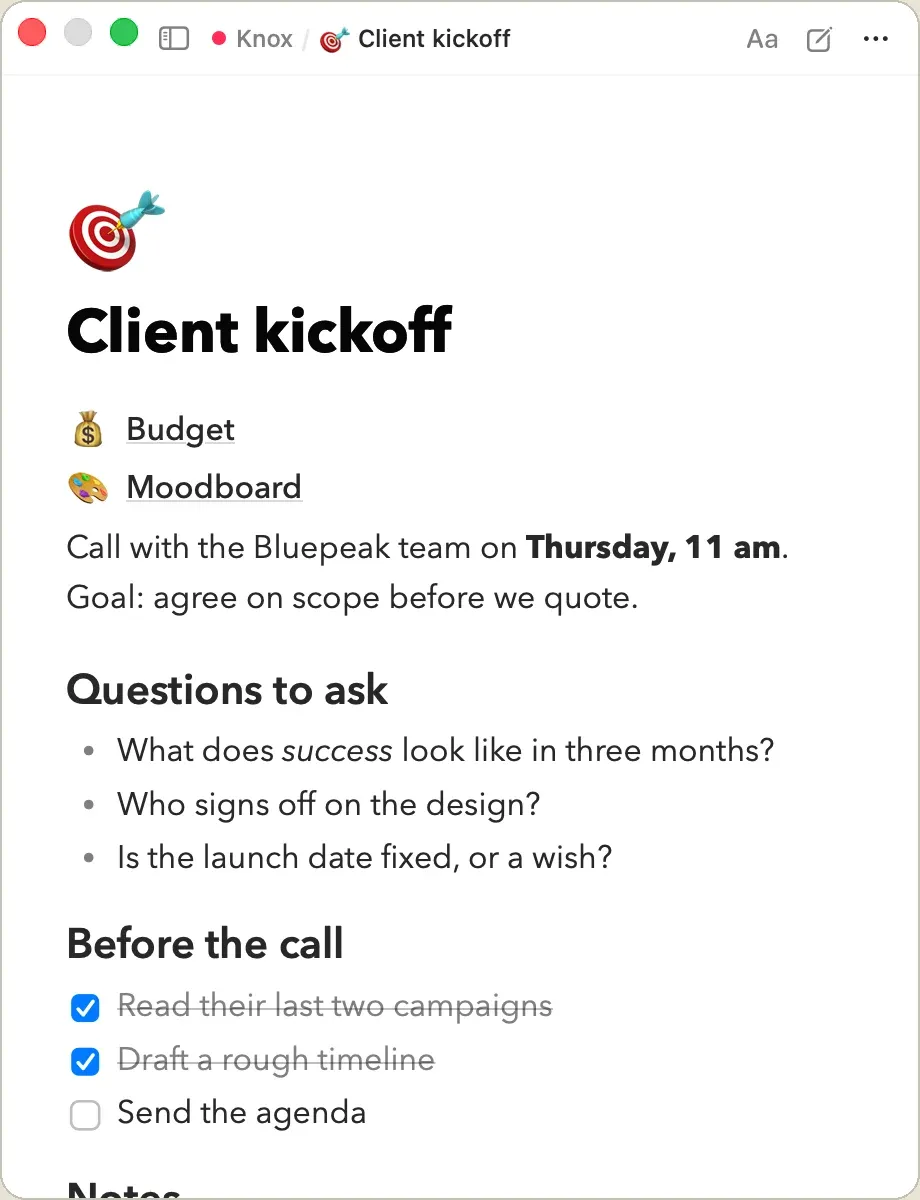
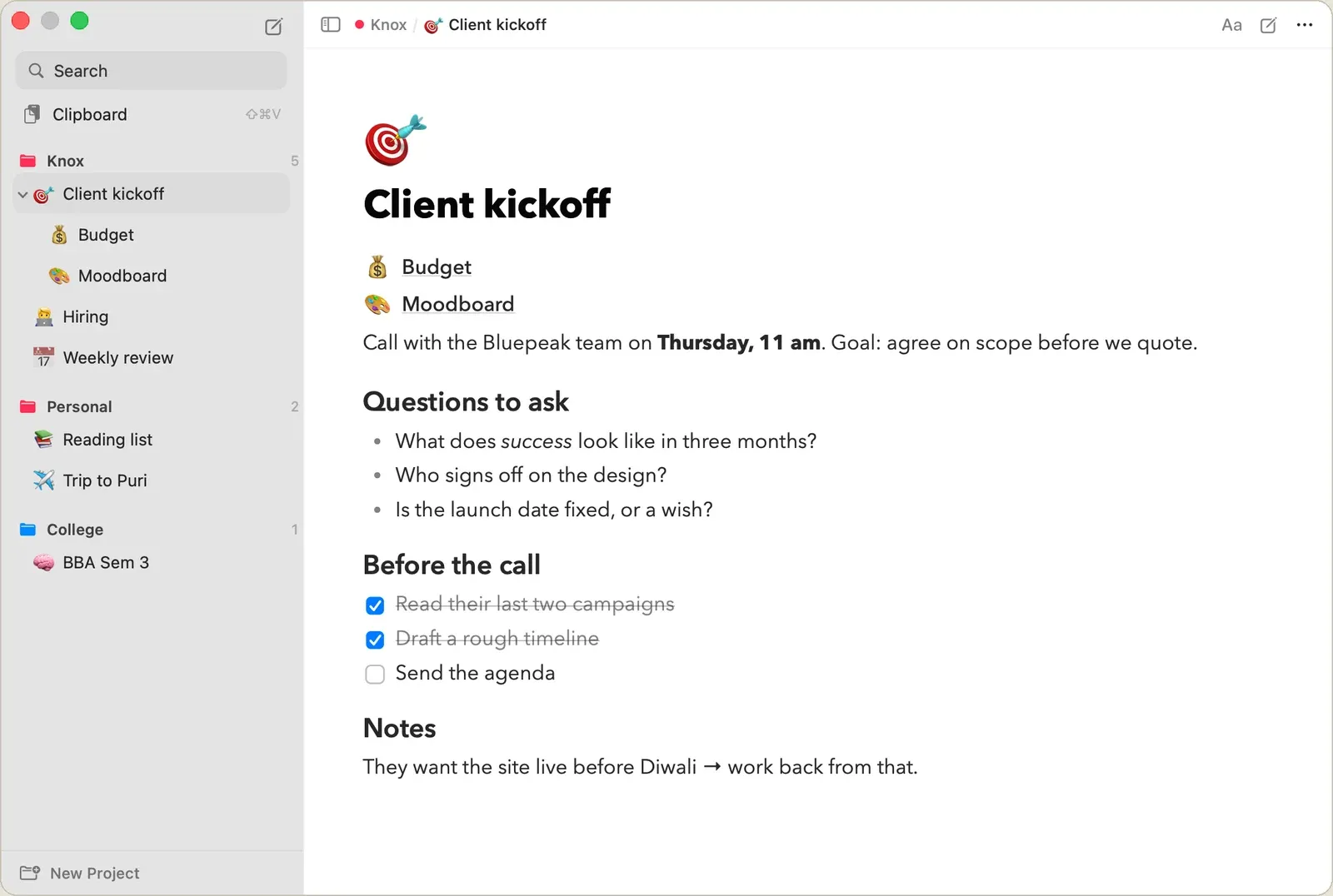
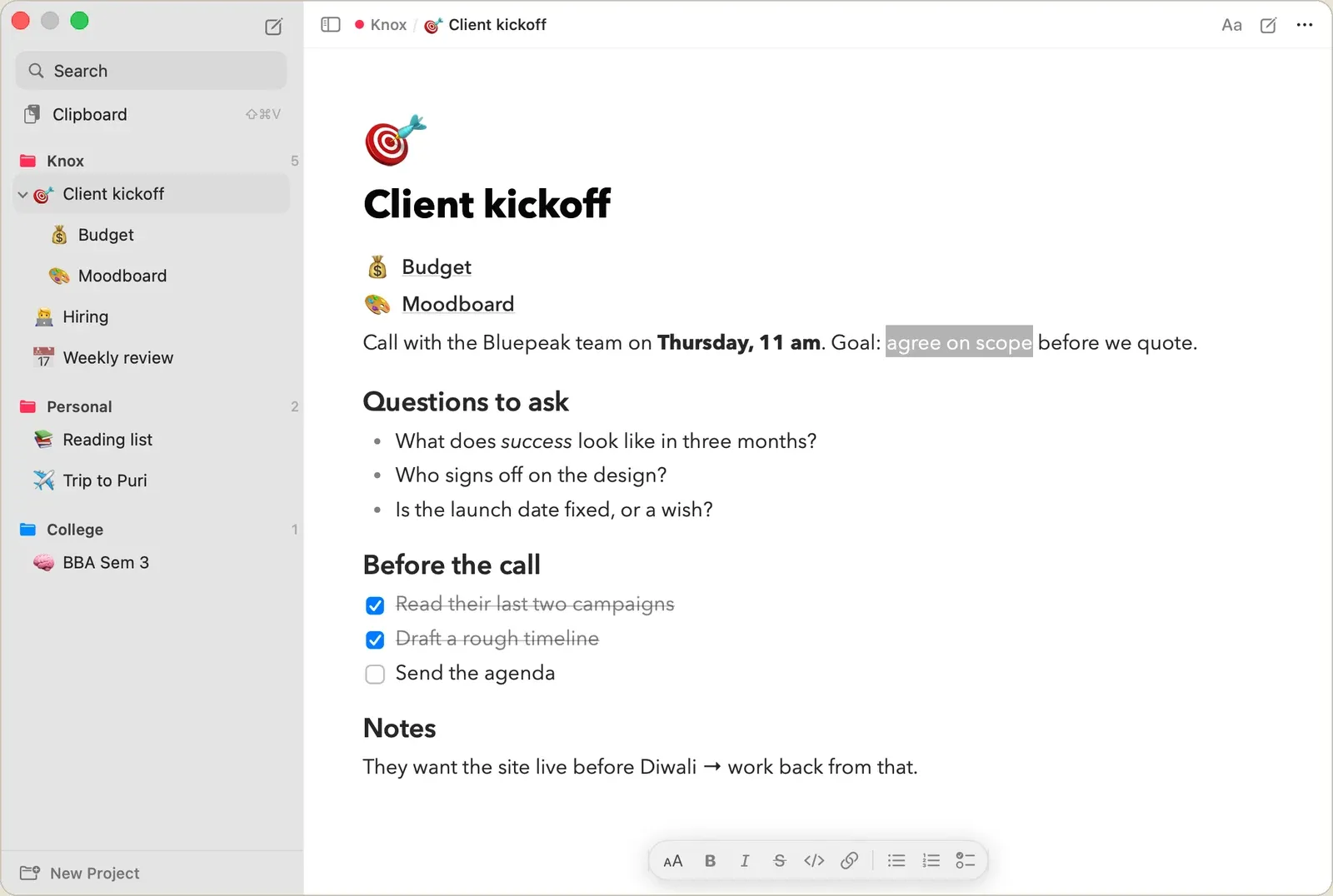
Typing ## and a space makes a heading, [] makes a to-do, and **bold** turns bold as I close it. Selecting text brings up a small formatting bar. Everything is saved as plain Markdown in a local SQLite file, so the notes are readable even without the app.
The phone app
A web app, served by the same Cloudflare Worker that does the syncing, and added to the home screen. The Mac shows a QR code. Scanning it opens the app already connected, and the token travels in the part of the link that never reaches the server.
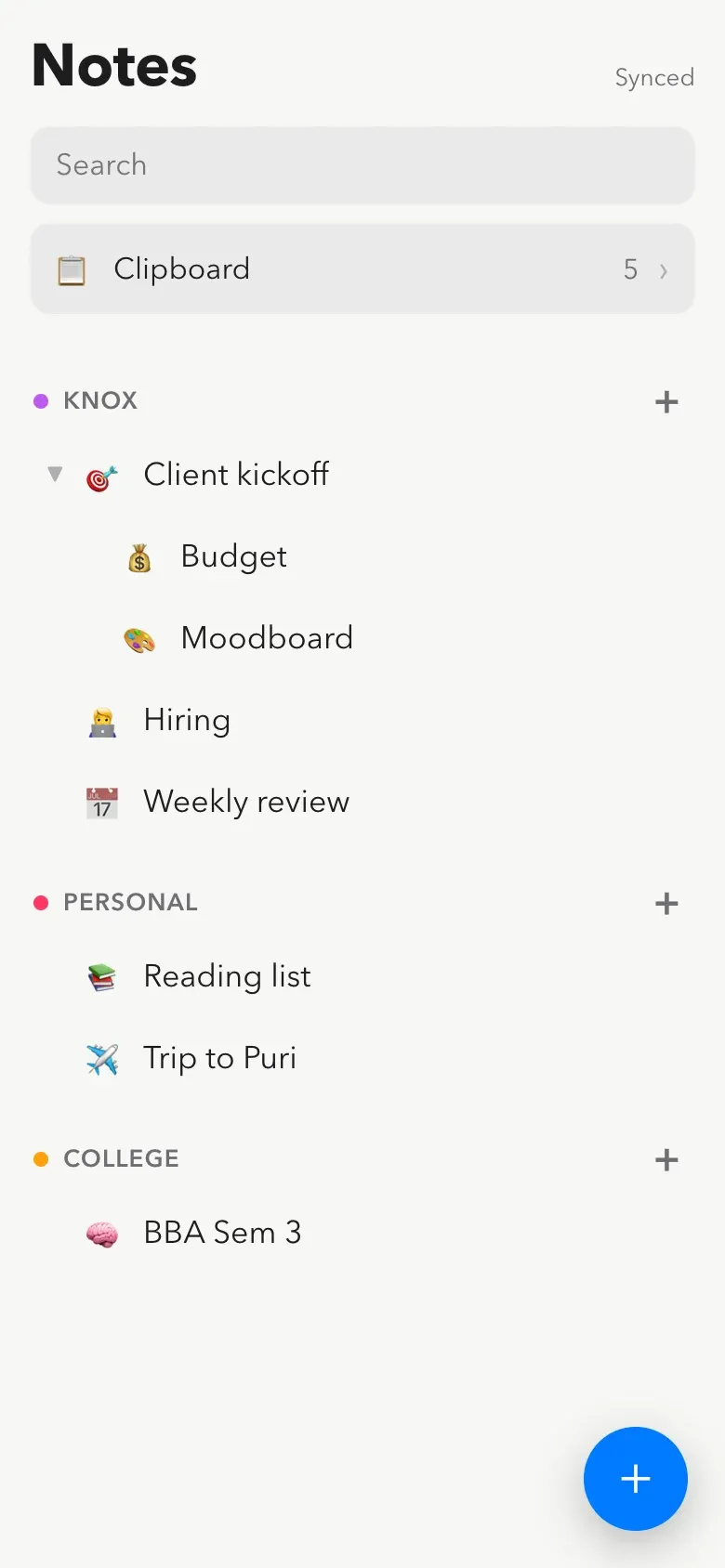
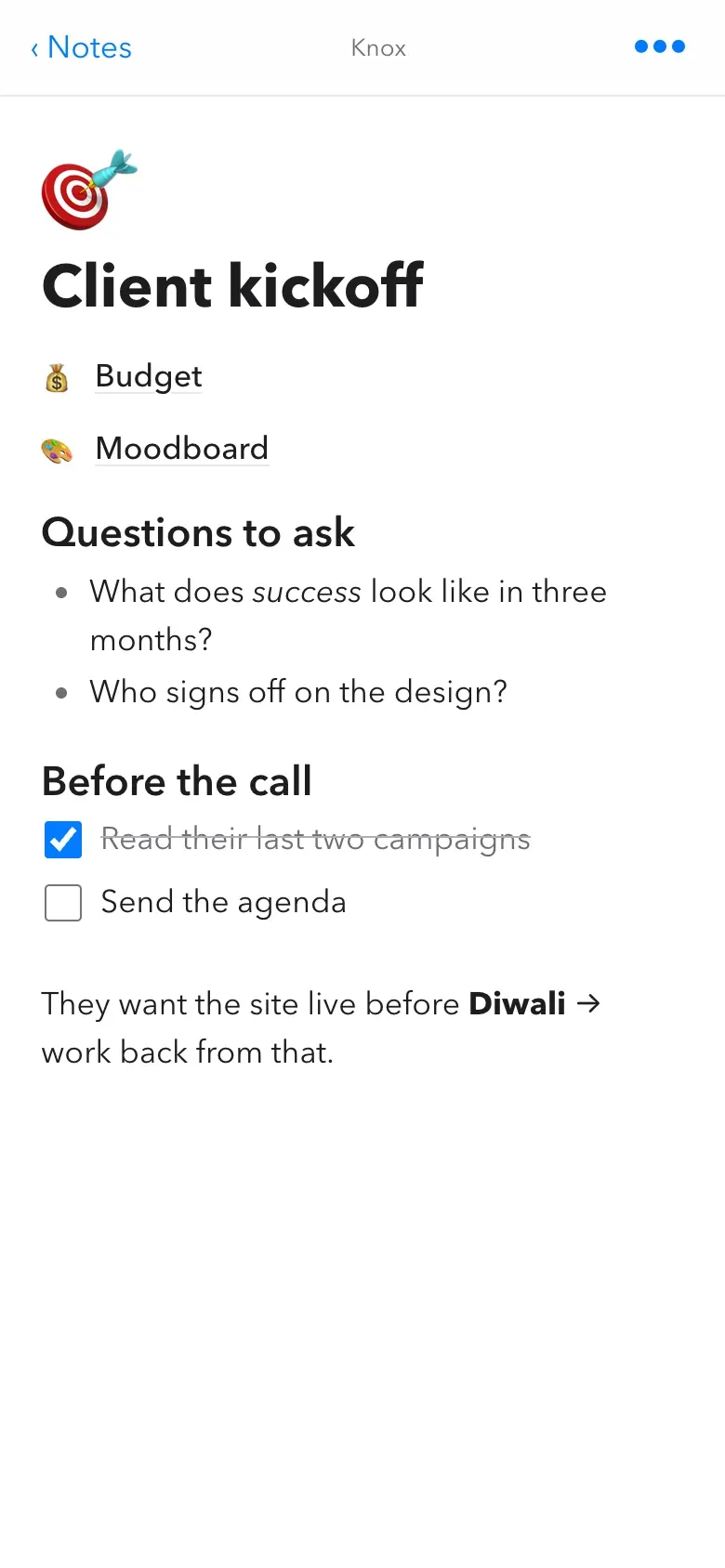
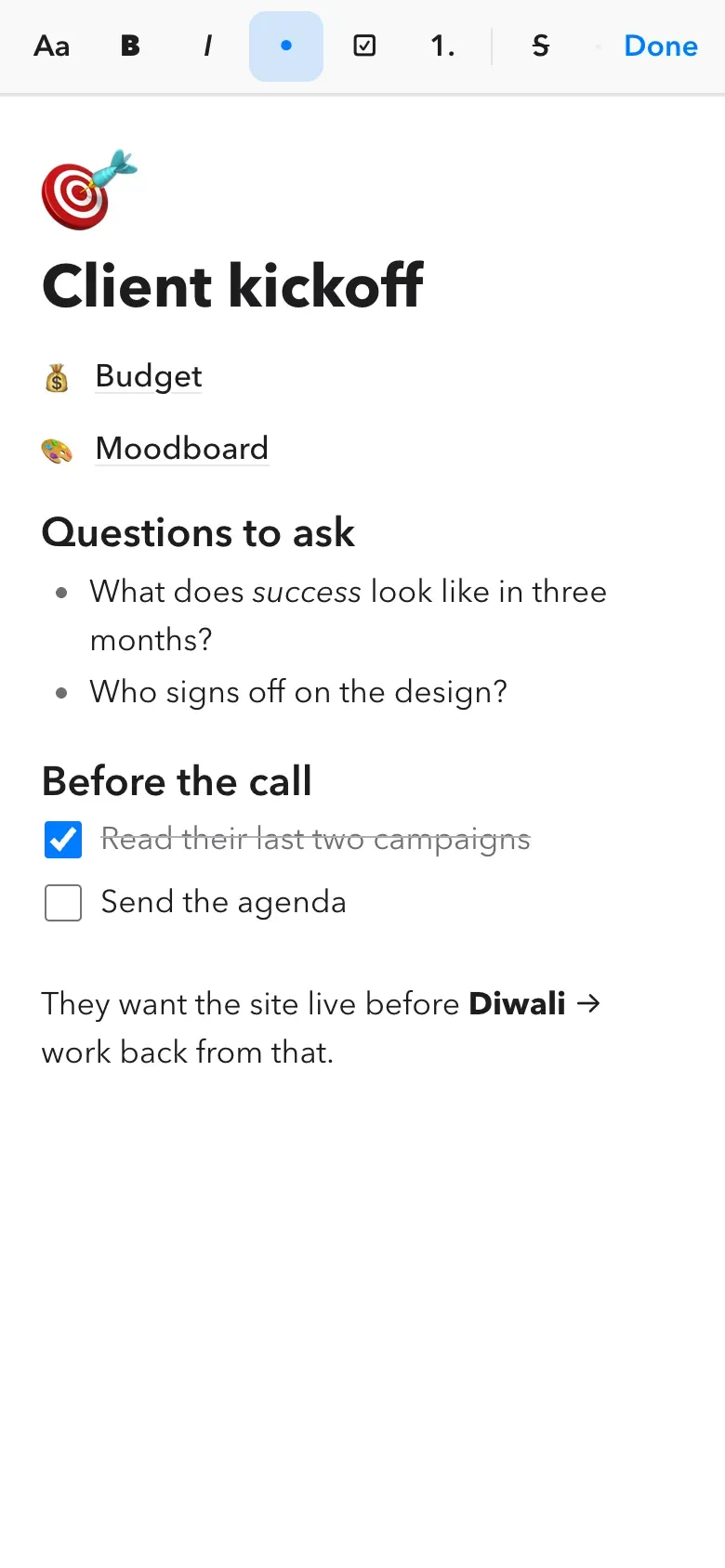
On the iPhone, Safari puts its own bar above the keyboard, and a web page can’t remove it. It covered the formatting buttons. So while I’m typing, the buttons move to the top of the screen instead.
Sync without iCloud
Every device keeps its own full copy. The server only remembers what changed, and in what order.
Each change gets a number from a counter on the server. A device asks “what changed after number N?” and gets just that. If two devices edit the same page before either syncs, the server’s copy wins, and the other edit is kept as a “(conflicted copy)” page, so nothing is ever lost.
Most checks find nothing new, so that answer is made cheap: one look at the counter, no tables read. The Mac checks every minute while its window is open and every five minutes when it’s hidden. My own edits go up a few seconds after I stop typing.
A clipboard that remembers
Everything I copy, in any app, lands in a list for 30 days. Click an item to copy it again, pin one to keep it longer. Copies that password managers mark as secret are skipped.
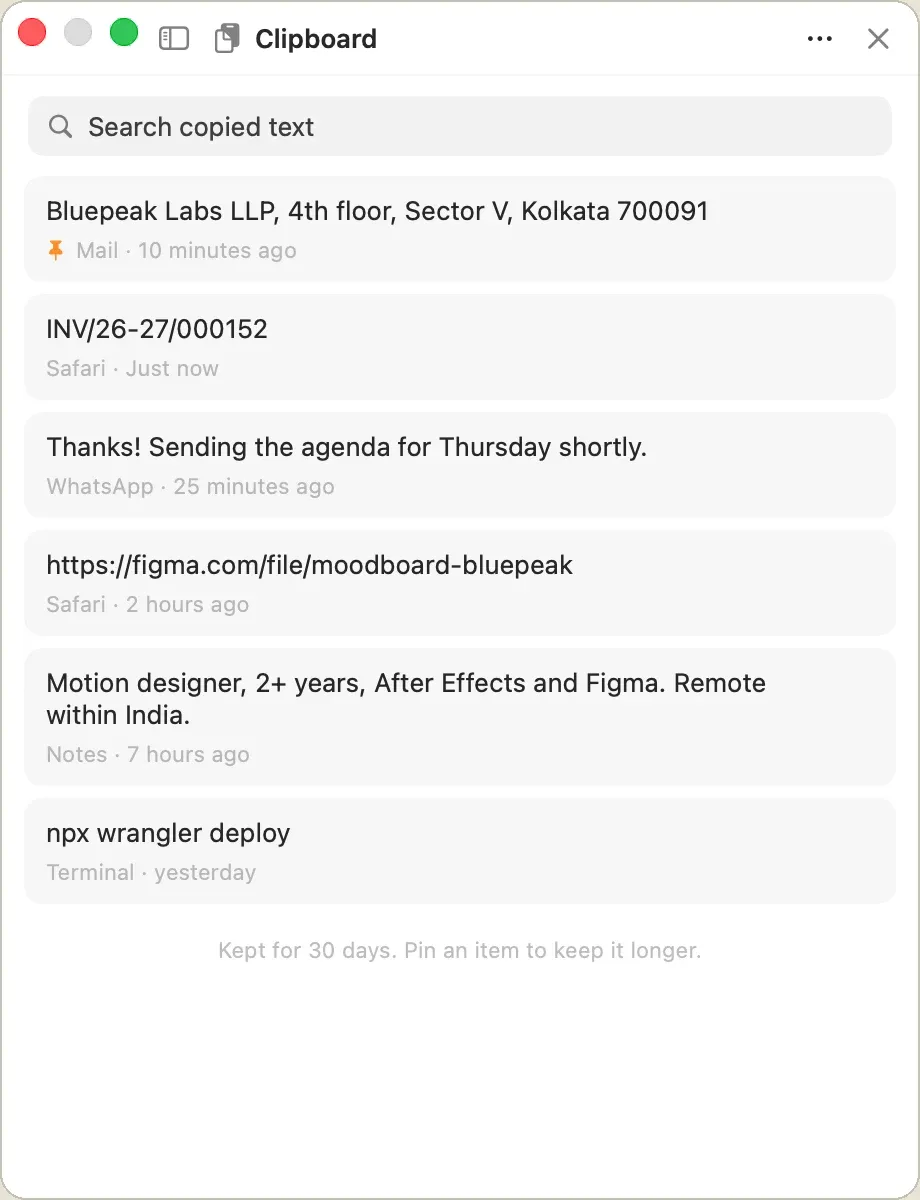
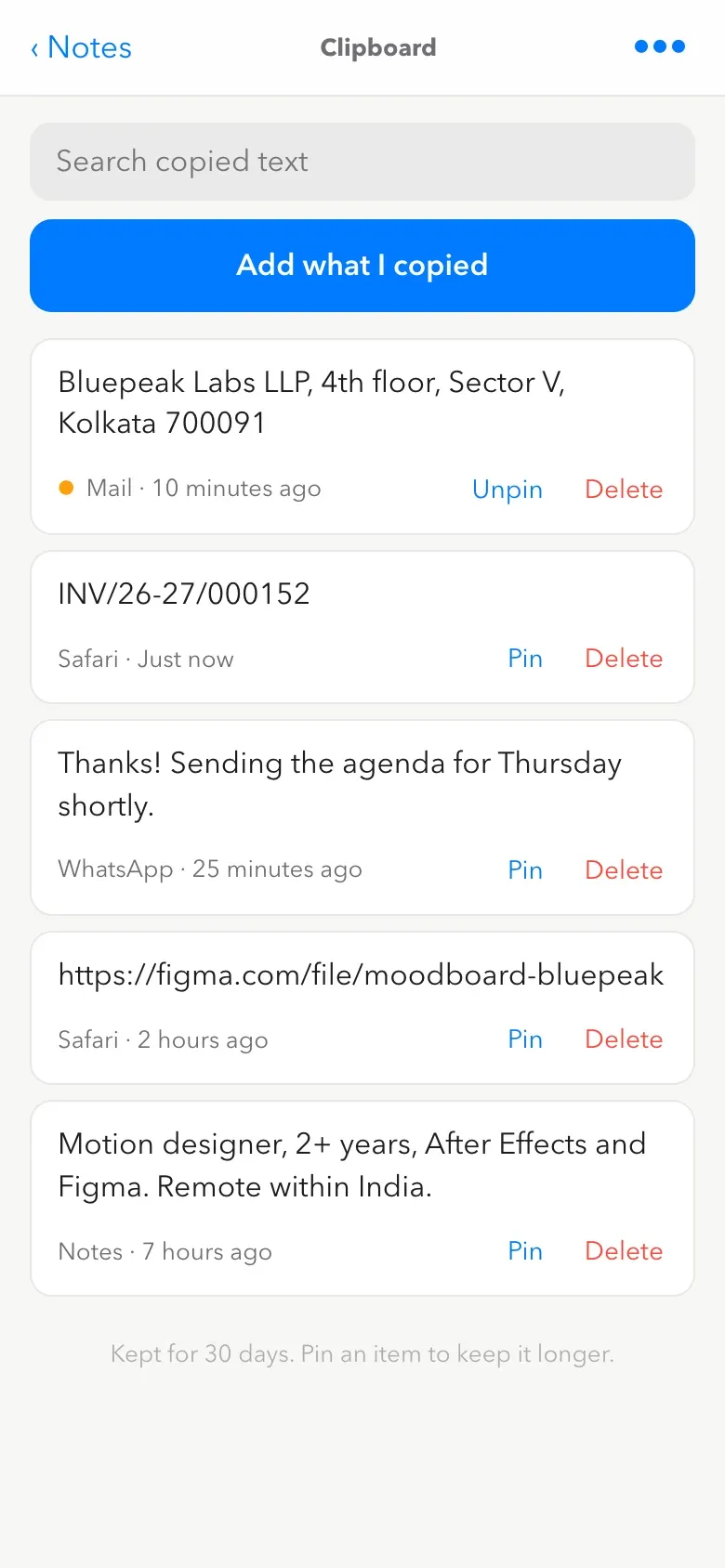
The same text copied on both devices is one item, not two. Its id is a fingerprint of the text itself. An iPhone won’t let a web app watch the clipboard, so the phone has a button instead: Add what I copied.
Sharing a page
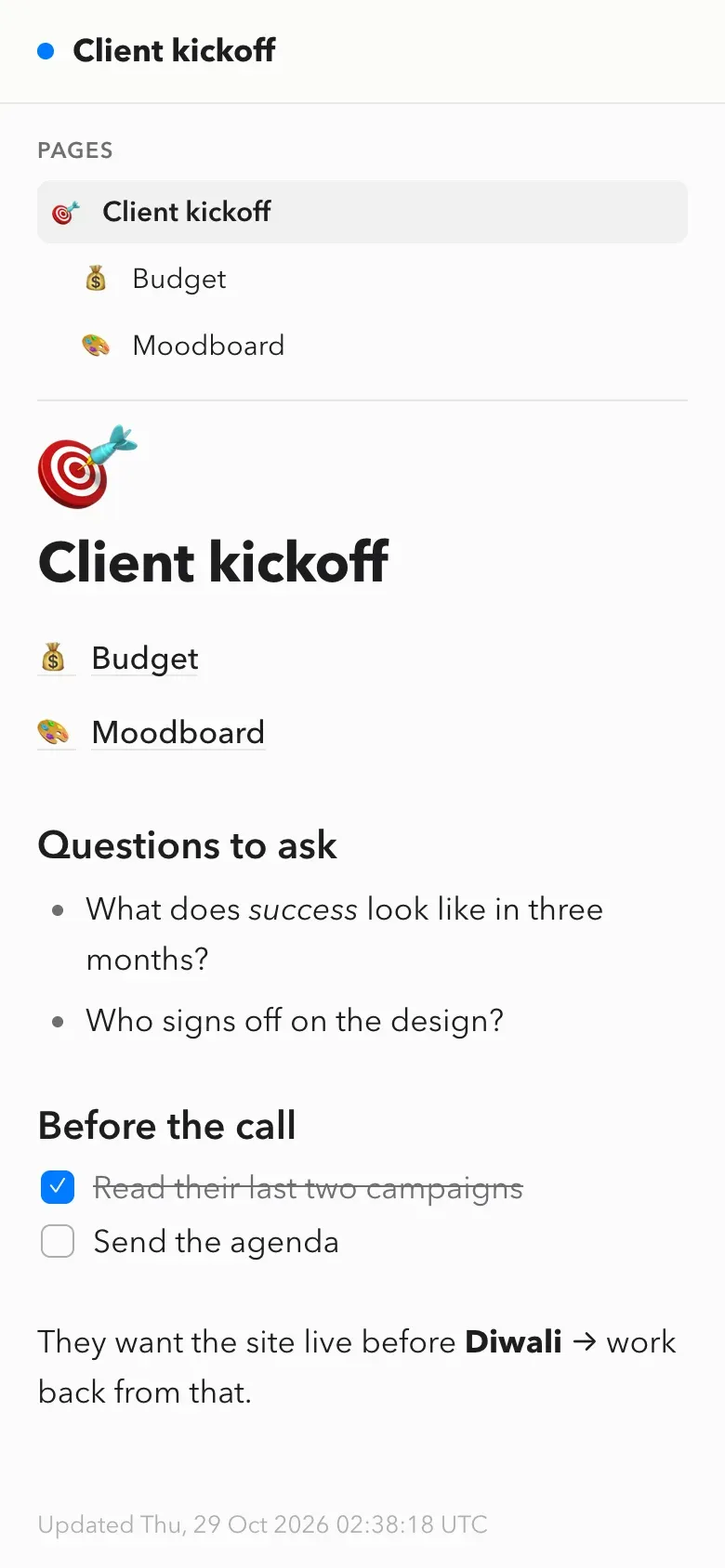
A page or a whole project can be shared as a read-only link. The link is random, hidden from search engines, and can be turned off from the Mac at any time. It always shows the current version, and the page has no scripts at all.
The bug that scrambled my notes
A few hours in, a real note came out like this: “EQuestions to ask”, “BWhat made you DM me”. Every letter I typed above existing text landed at the start of the next line.
The cause was a font. Avenir Next has no glyph for some characters, like ⌥ or an emoji, so macOS quietly draws them in a fallback font. On every keystroke, my styling code “corrected” that font back to Avenir. The text system counted the correction as an edit and moved the cursor to the end of it.
The fix was to leave fallback fonts alone. The bigger fix was the test. The checks I had typed into an editor that wasn’t in a real window, where the bug never shows. Now there’s a test that opens the real window on a throwaway database and sends it real keystrokes.
How it’s built
- MacSwift, SwiftUI and AppKit, built with Swift's own package tool and no Xcode. A menu-bar app with a global shortcut.
- StorageSQLite with full-text search. Pages are stored as Markdown, and the editor converts both ways.
- ServerOne Cloudflare Worker and a D1 database. It serves the sync API, the phone app and the share pages.
- PhoneA web app with the TipTap editor, IndexedDB for offline storage, and the same Markdown rules as the Mac.
- TestsMarkdown round trips, two-device sync against a local server, the phone app in a headless browser, and keystrokes in the real Mac window.
- BudgetCloudflare's free plan, kept far from its limits on purpose.
Timeline
- An empty folderNotes first. The dashboard can wait.
- The Mac app runsProjects, notes, rich text, the menu bar.
- Pages inside pagesA calmer layout that opens small.
- Avenir Next, auto-format, syncAfter five rounds of fonts.
- The phone app and share linksSet up by QR code.
- The scrambled-letters bugFound on a real note, fixed with a real-window test.
- The clipboard, on both devicesThen trimmed so it barely touches Cloudflare's free plan.
- Its own addressdesk.suvam.workers.dev.
What I learned
- Test where the user is. The bug lived in the real window, so the test has to as well.
- Free plans are a design constraint. Making “nothing changed” cheap mattered more than anything clever.
- Say no to the second half. The dashboard was the bigger idea. The notes were what I actually needed.
What happened
- 25 MB of memory with the window open, and almost no CPU when idle. It lives in the menu bar.
- 1 evening from an empty folder to the Mac app, sync, the phone app, share links and the clipboard. With Claude Code.
- ₹0 a month to run. Normal use takes about 1–2% of Cloudflare's free daily requests.
- 150+ automated checks, including two simulated devices syncing and real keystrokes typed into the real window.
- 30 days of everything I copy, searchable on the Mac and the phone. Password managers' copies are never kept.
The honest note
Claude Code wrote nearly all of the code. My part was deciding what it should be, testing it on my own notes, and saying no a lot. The font alone went through five rounds before Avenir Next stuck.
The first version had a bad typing bug. Adding text above something already written scattered letters across other lines. I found it on a real note, not in a test, which is why the tests now type into the real window.
It's signed on my own Mac, not notarised, and not on the App Store. The phone app is a web app that has to be set up once with a QR code.
The clipboard history goes through my Cloudflare server so the phone can see it. It's behind the same token as my notes, but it is my copied text on a server.
This started as the notes half of a bigger "Home Dashboard" with my finances in it. Once the notes worked, I dropped the dashboard. I didn't need it.
Not built yet
- Images in pages. Text only for now.
- Editing from a shared link. Shared pages are read-only.
- A native iPhone app. The web app does the job.