Experiment
In daily use
Expense Pulse
Most of what I spend is the same few meals. Logging a ₹30 breakfast shouldn't take a sentence to Claude, so now it takes two taps on my phone.
- Role
- Design + build, solo
- Apparatus
- PHP · Vanilla JS · PWA · Notion API
- Tags
The problem
I already had an expense tracker. I talk to Claude, it writes a row into Notion, and a dashboard reads it back. That works well for a story ("450 on a birthday cake for a friend"). It is far too slow for the other ninety percent, which is poha, chai and a thali at the same mess, over and over.
Each one meant opening Claude, saying it, and waiting for a reply. So the small ones got put off, and some never got logged. The dashboard is only as good as the log.
Where it fits
This is the second half of Voice to Notion. That system turns what I say into a journal and an expense table in Notion, and ends with a read-only dashboard. Expense Pulse is the fast way in for small, repeated spends, and it took over the dashboard’s job as well.
- ClaudeStill the way in for anything with a story: a gift, a trip, a bill split three ways.
- Expense PulseFor the everyday: meals, chai, an auto ride. Two taps, from the home screen.
- NotionOne Expenses database behind both. Nothing is copied or synced twice.
- The old dashboardLeft exactly as it was. Its charts now also live in the app's Stats tab.
How a log works
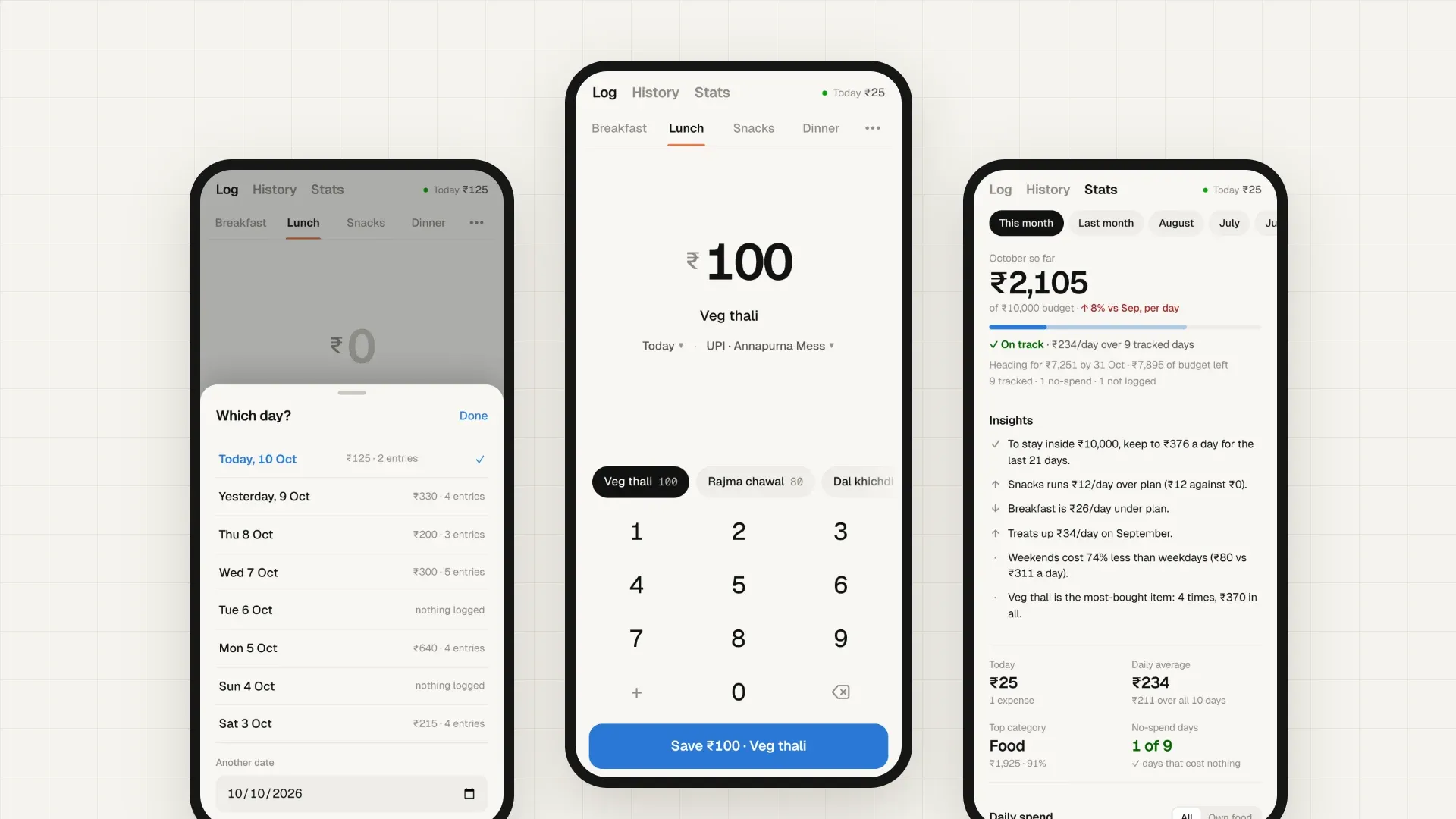
The fastest form is the one that's already filled in when you open it.
- Open the appThe meal is picked from the clock: breakfast before 11, lunch until 4, snacks until 7:30, then dinner. After midnight it's yesterday's dinner.
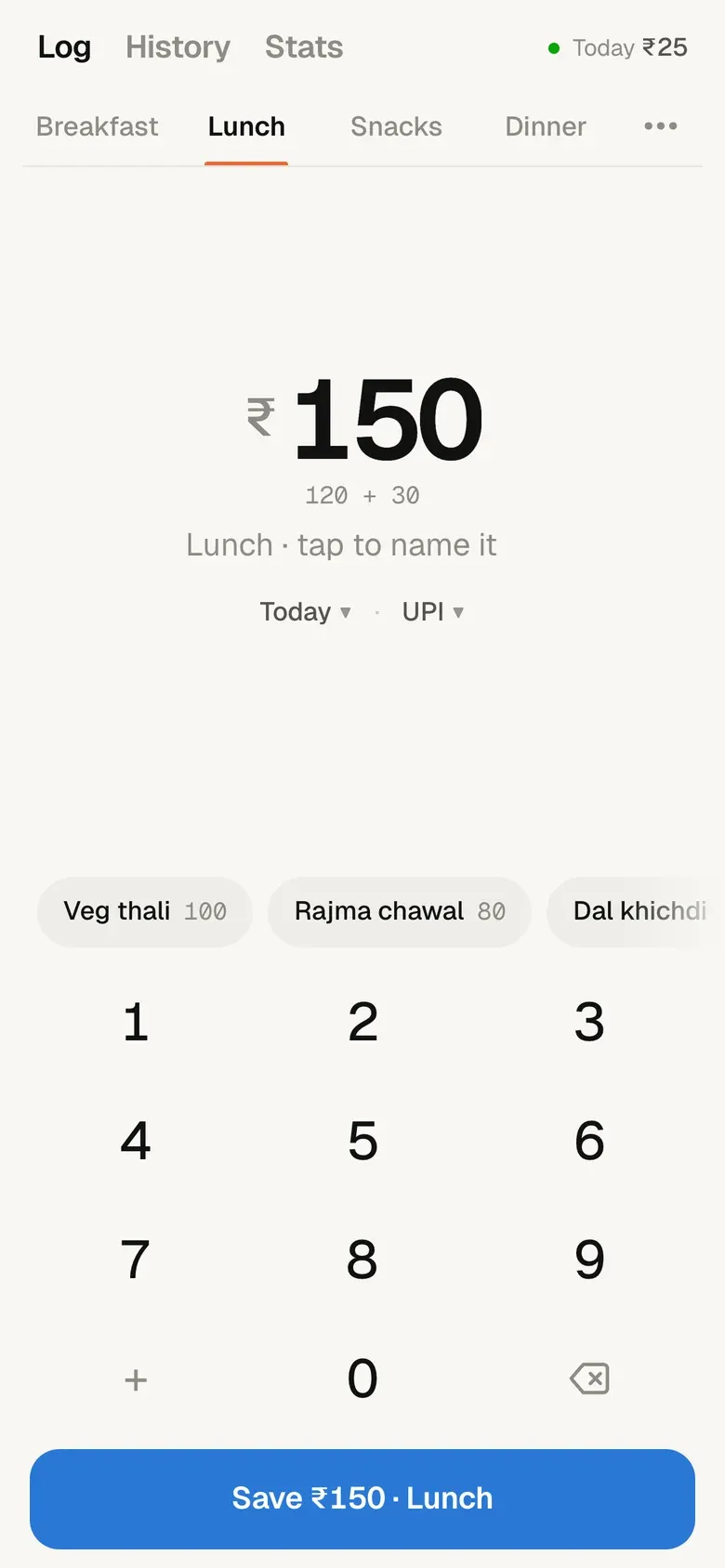
- Tap what you hadThe Usual row shows what I most often have for that meal, with the last price I paid.
- Tap SaveThe row goes to Notion and is linked to that day's journal page, if there is one.
- Undo, for five secondsA wrong tap costs nothing.
↺ The more I log, the better the Usual row gets. Logging makes the next log faster.
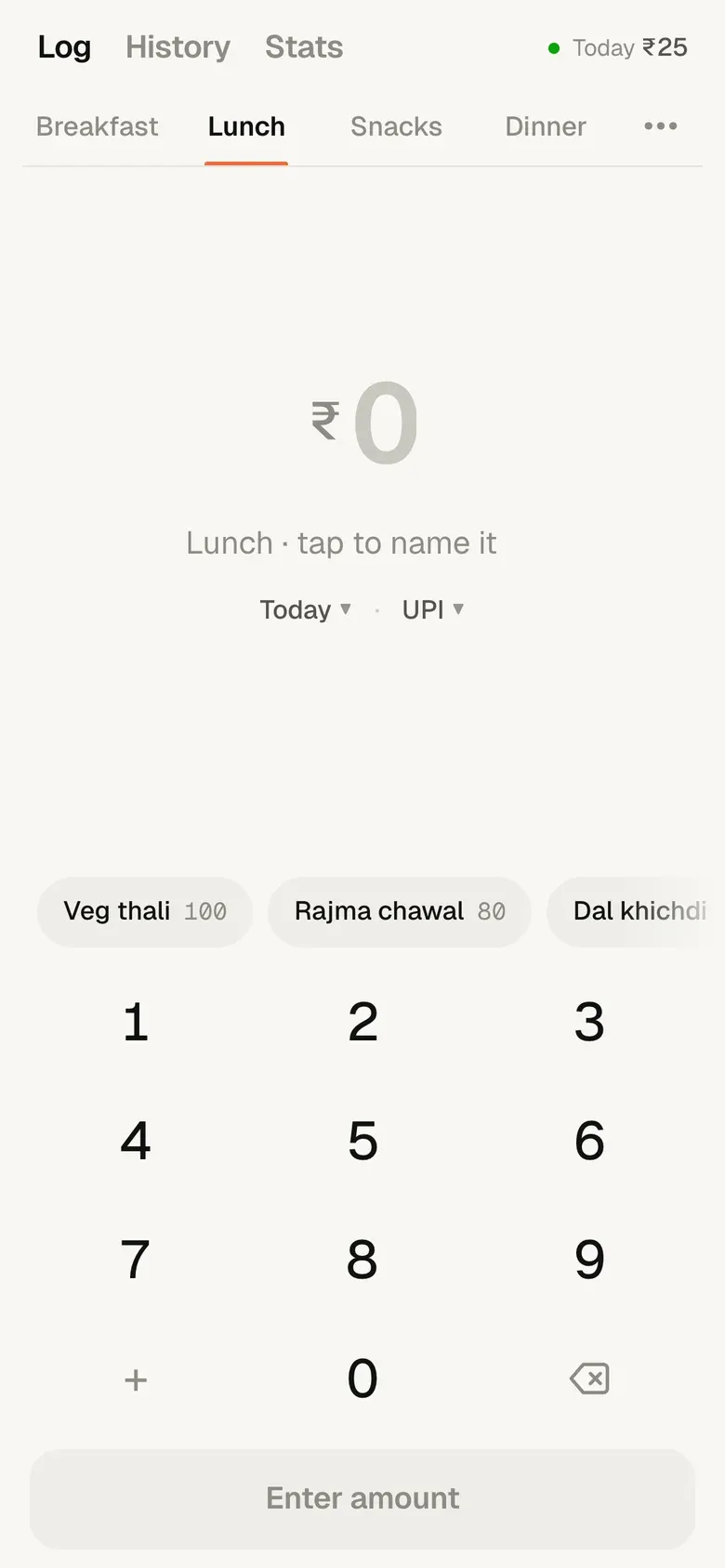
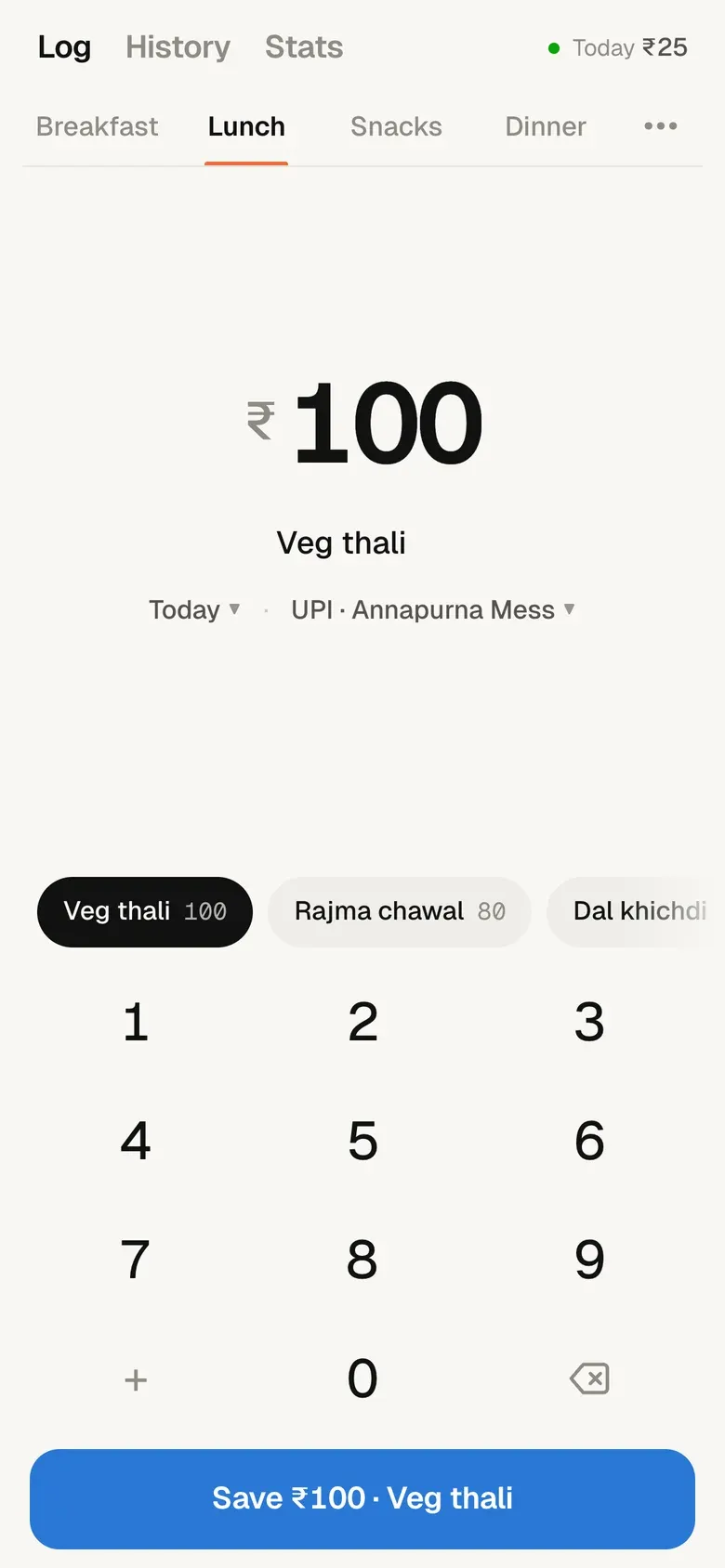
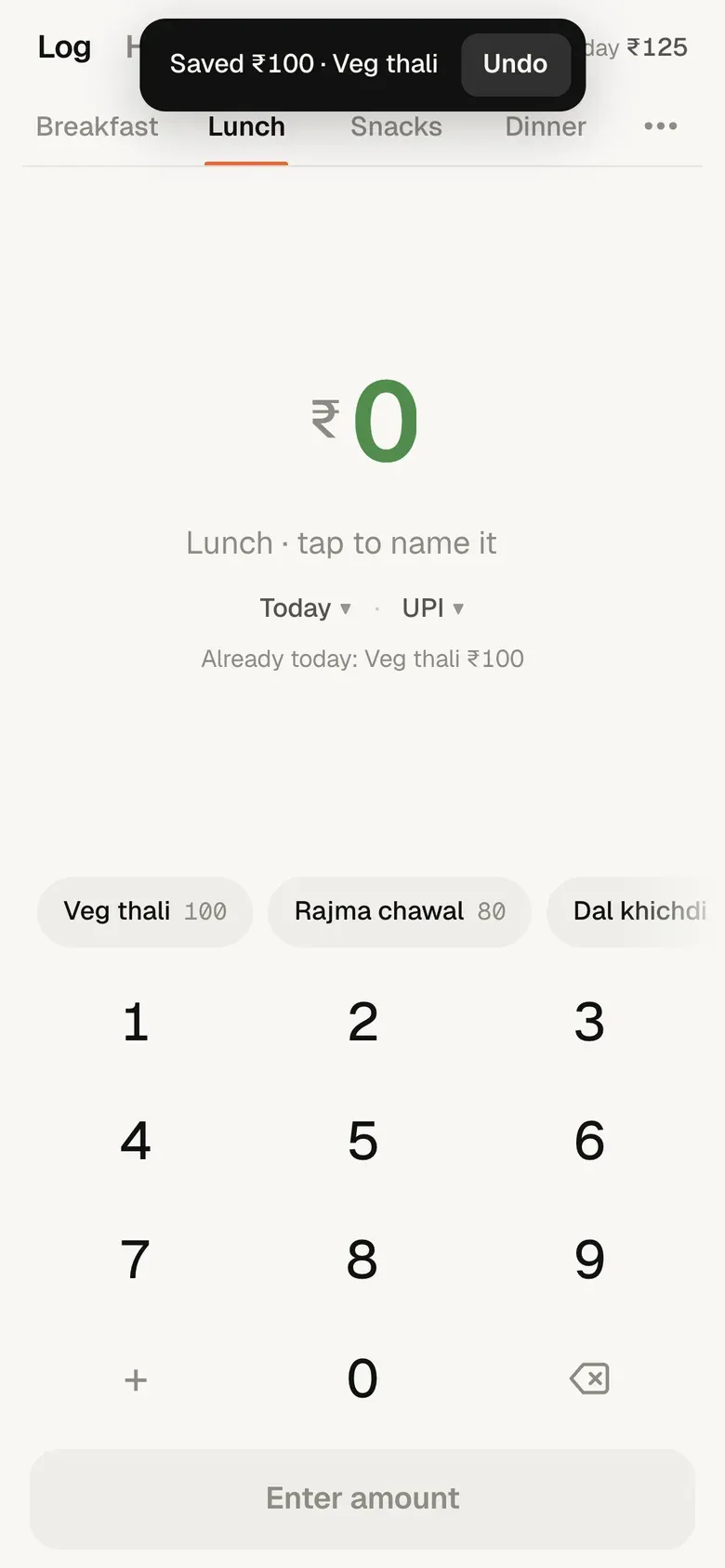
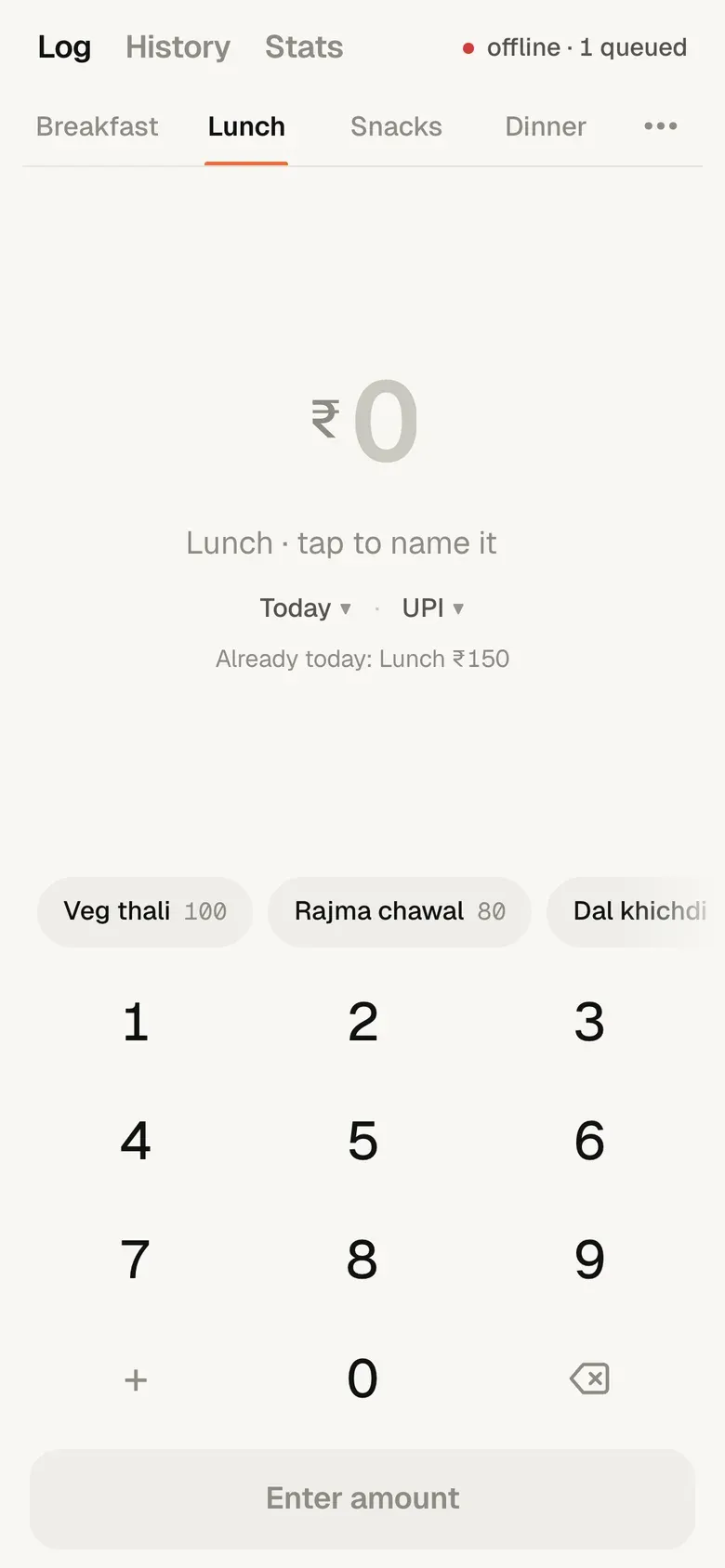
When nothing in the Usual row fits, there’s a keypad. + adds amounts up, because a meal is often two payments. The phone keyboard never comes up. No signal is fine too: the save waits on the phone and goes through later.
Catching up, and fixing mistakes
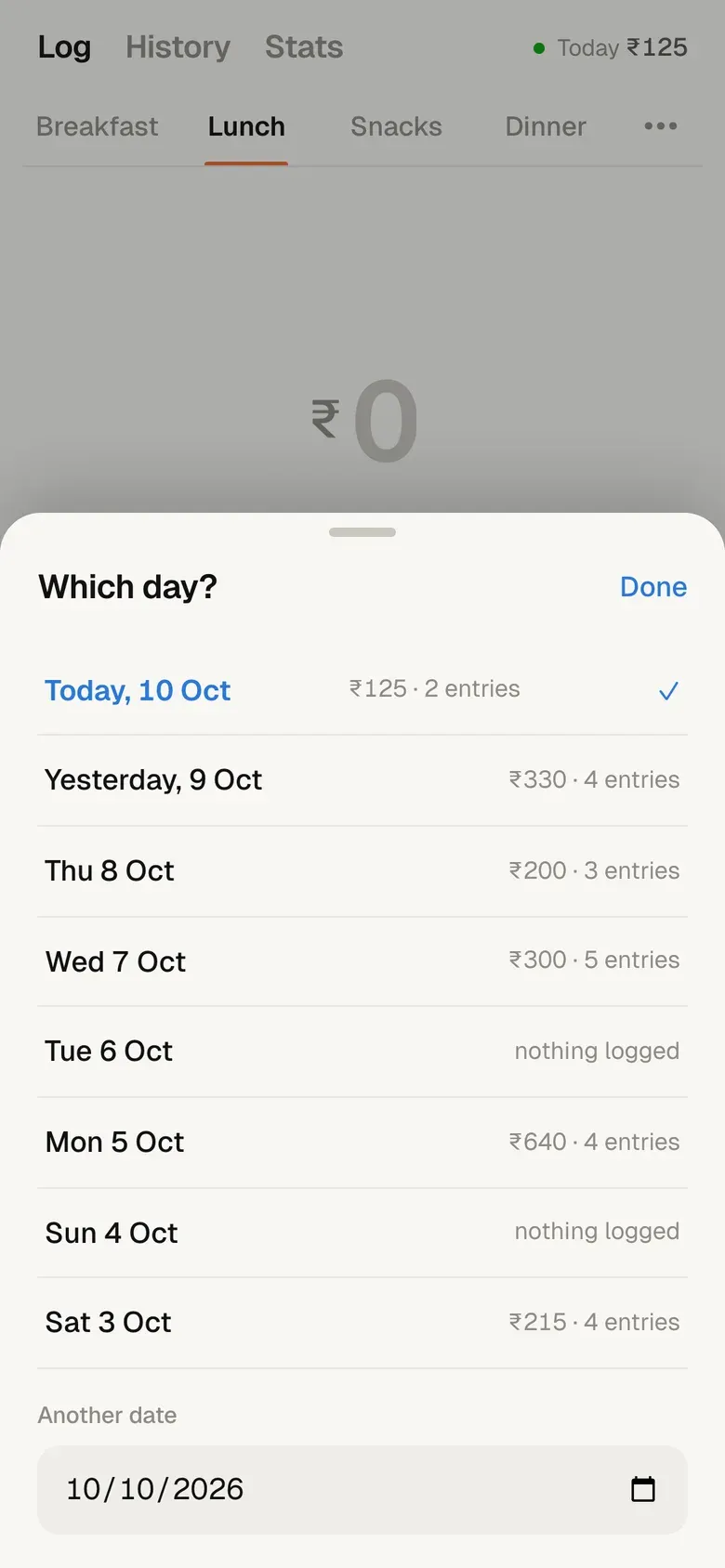
I don’t always log on the day. The date pill opens the last eight days, and each one shows what’s already there. A gap is easy to spot, and the date stays put while I fill it in.
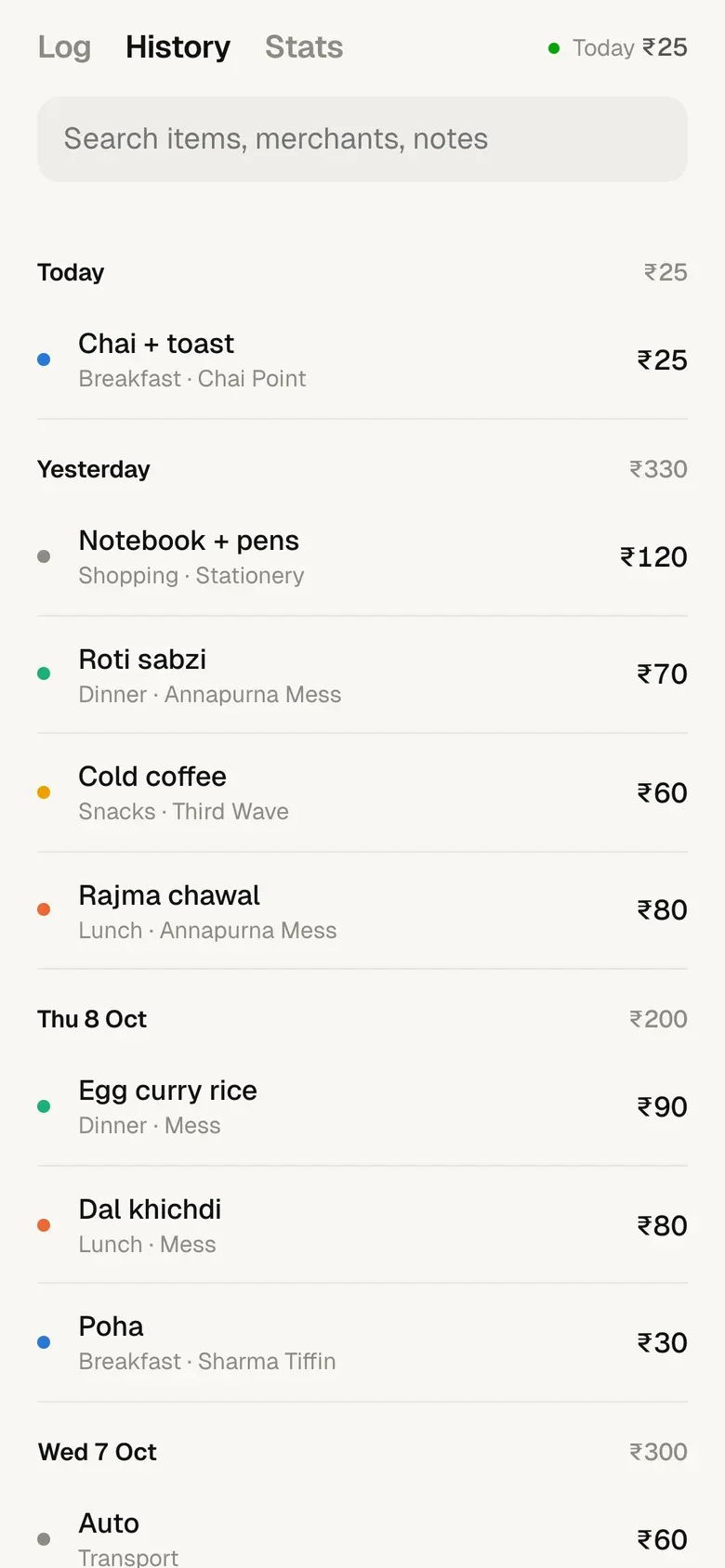
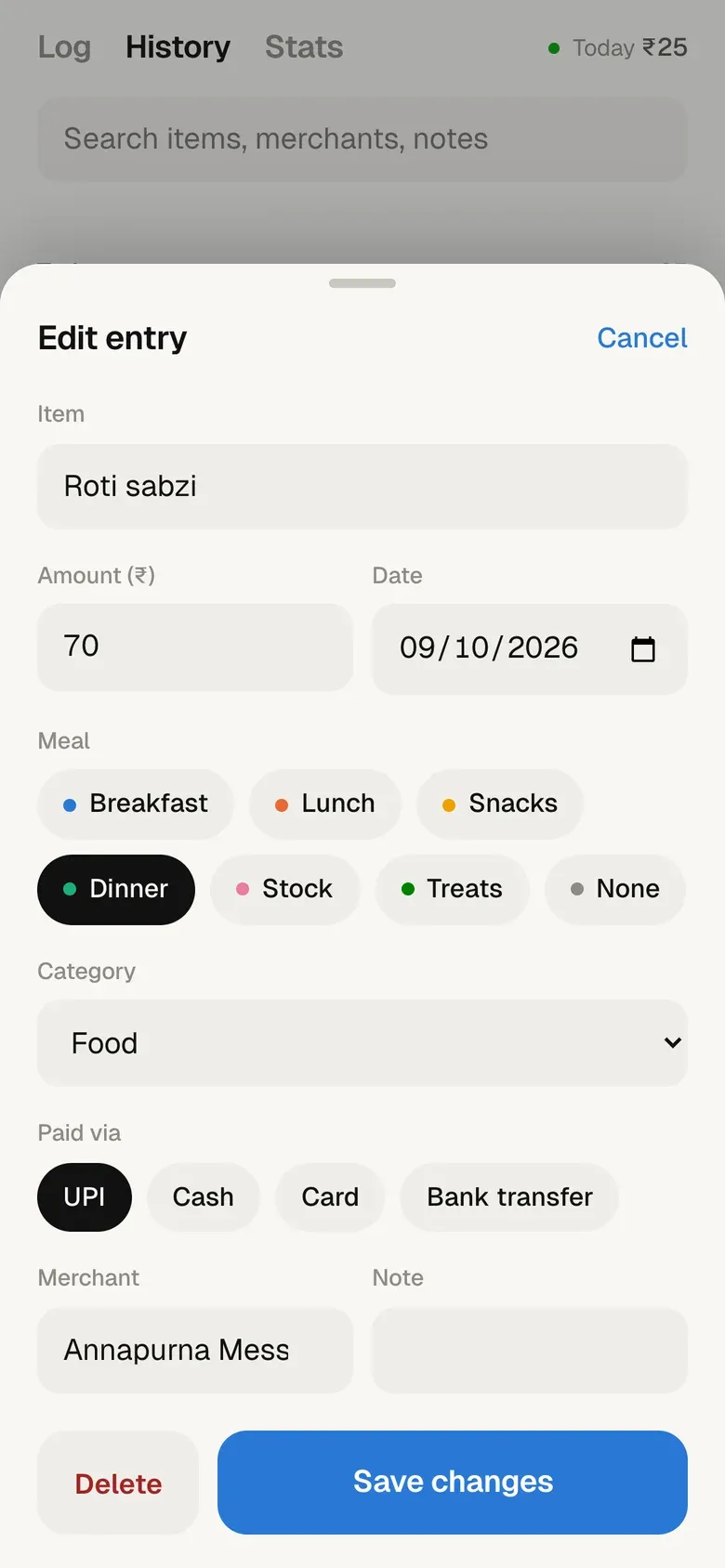
History is every entry grouped by day, with search. Tap any row to change anything about it. Deleting sends it to Notion’s trash, so nothing is gone for good.
Stats, and the one idea that matters
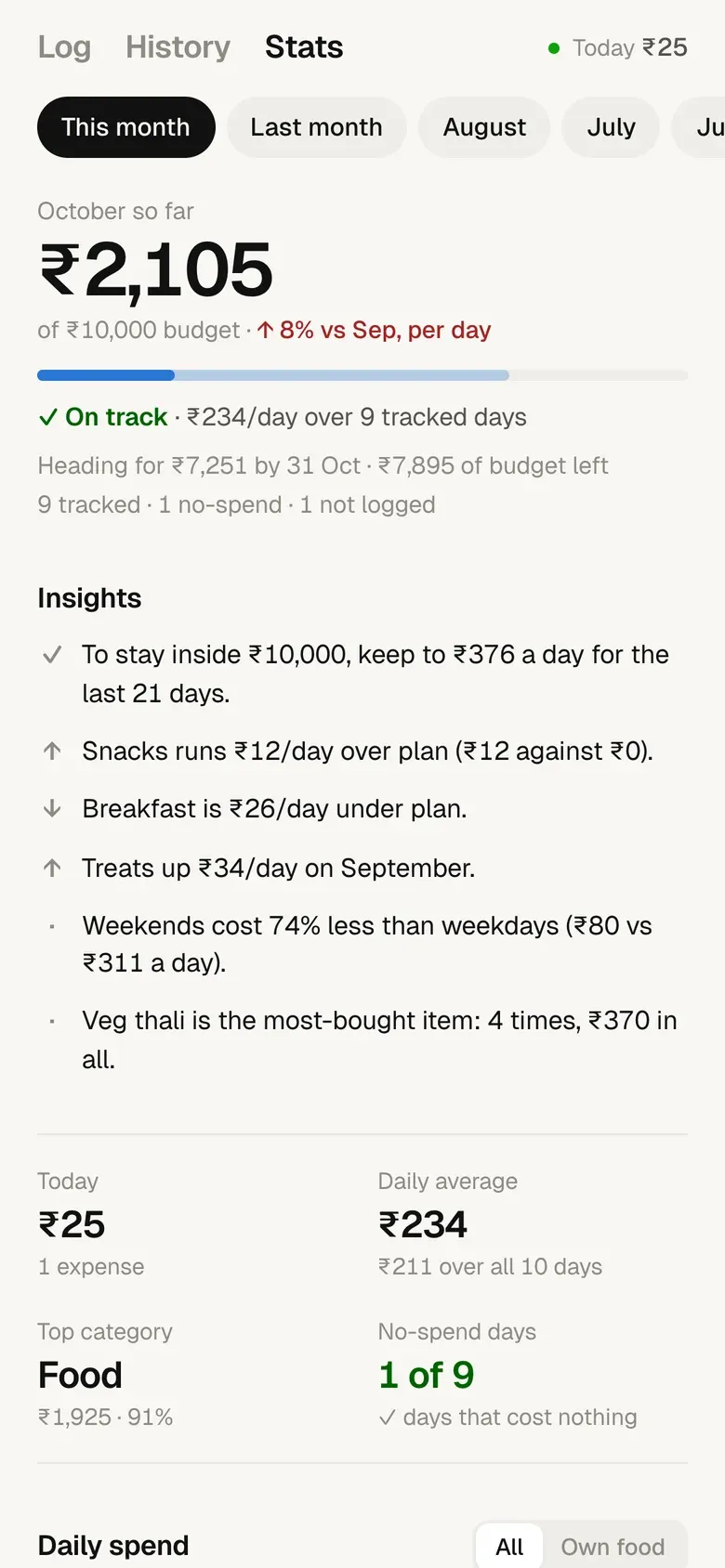
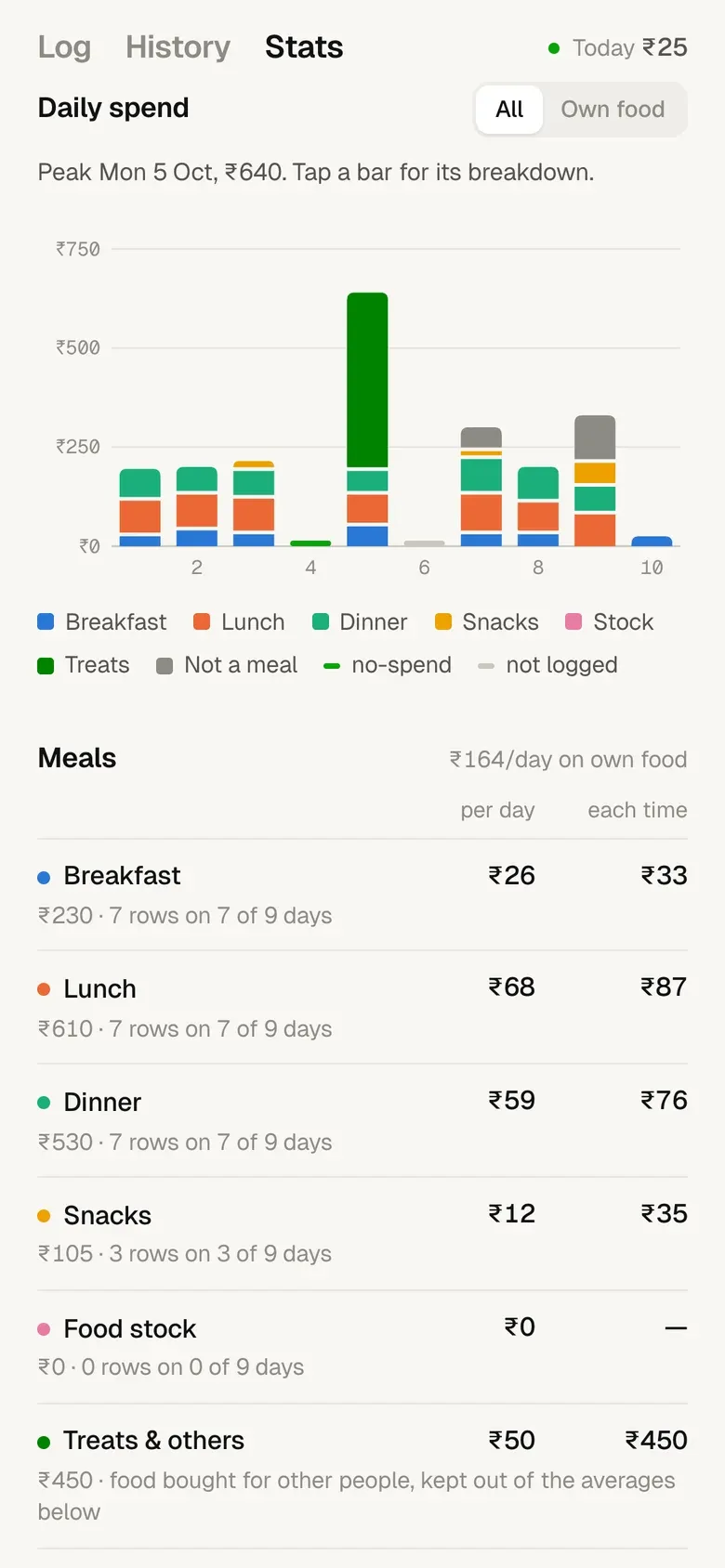
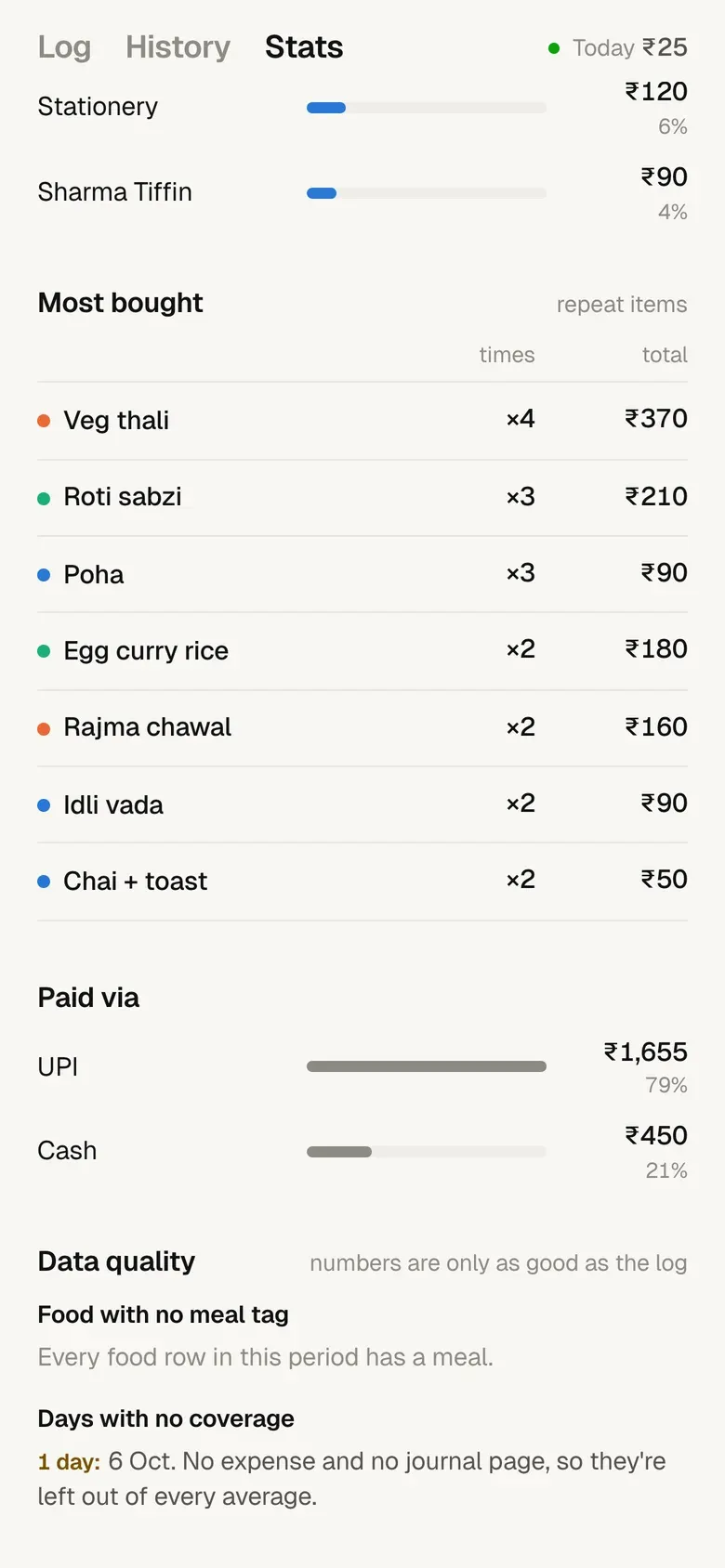
The Stats tab brings over everything from the old dashboard: pace against a ₹10,000 month, spend per meal, plan against actual, a run rate, categories, merchants. It also writes plain-English insights at the top.
The idea that matters most is the same as before. A day with no expenses is not automatically a cheap day. If that day has a journal page, I was around and spent nothing, so it counts as a zero. If it has no journal page either, I just forgot to log it, so it stays out of every average.
How it’s built
- The phoneAn installed web app. It knows a PIN, and holds saves while there's no signal.
- One PHP fileOn my own hosting. Checks the PIN, holds the Notion token, keeps a 62-day copy.
- NotionThe same Expenses database Claude writes to.
- Back to the phoneLog and History read the copy. Notion is only asked when something changed.
↺ Every save updates the copy too. The phone never sees the Notion token.
- An app without an app storeA web page that installs to the home screen and opens instantly, even with no signal.
- Offline firstSaves queue on the phone and send themselves when the connection comes back. The server ignores retries it has already seen, so nothing is logged twice.
- The token never leaves the serverThe phone only knows a PIN. The Notion token sits in a file outside the web folder. Ten wrong PINs locks that IP out for 15 minutes.
- Gentle on NotionThe server keeps a copy of the last 62 days and updates it on every save, so opening the app is usually free. Full history loads only when Stats opens, at most once an hour.
- Journal-awareA new expense is linked to that day's journal page if one exists. It never creates one, because a journal page is how the system knows I was around that day.
- No build stepPlain HTML, CSS and JavaScript, plus one PHP file. Built with Claude Code.
What I learned
- Defaults beat features. Most of the speed comes from guessing right before I touch anything: the meal, the item, the price, the date.
- Know which tool is for what. Talking to Claude is great for stories and slow for routine. Keeping both, each for its own job, worked better than replacing one with the other.
- Missing data needs its own state. “Spent nothing” and “didn’t log” look the same in a spreadsheet. Telling them apart is what makes the averages honest.
What happened
- 2 taps to log a usual meal. Tap what you had, tap Save.
- No keyboard pops up. The amount is typed on the app's own keypad, and the item name is optional.
- 4 meals picked from the clock, so the right one is already selected when the app opens.
- 1 server and no new services. A PHP file on hosting I already pay for talks to Notion.
- ≤ 1 / hour full-history reload. The logger only reads the last 62 days, so the Notion free plan is never strained.
The honest note
It's a personal tool, locked behind a PIN, so there's no public demo. The screenshots are from a copy running on made-up data. The items, merchants and amounts are invented.
The two-tap path only works because my spending is boring. Someone who eats somewhere different every day would get a lot less out of the Usual row.
Claude still writes the odd row straight into Notion. The app picks those up on the next open, but it doesn't push them to the phone the moment they land.
Not built yet
- Reading a UPI payment notification and offering it as a one-tap log.
- A weekly nudge for days that have neither an expense nor a journal page.