Experiment
In daily use at Knox
Knox Finance
Knox's money lived in a bank account, an invoicing tool and a Wise account, and none of them could tell me how long the cash would last. Now one page does, and it keeps itself current from my phone.
- Role
- Design + build, solo
- Apparatus
- Cloudflare Pages · D1 · TypeScript · Vanilla JS · PWA · Zoho API · Claude API
- Tags
The problem
Running a small agency, the questions about money are always the same. How much is in the bank right now? Has that client paid? What was that debit for? And the big one, how many months do we have if nothing new comes in?
The answers were spread across an Axis current account whose statement arrives as a spreadsheet once a month, invoices in Zoho, export income arriving through Wise, and a head full of rules about salaries, GST and TDS. Each question meant opening three things and doing sums by hand. So mostly they didn't get asked.
The questions it answers
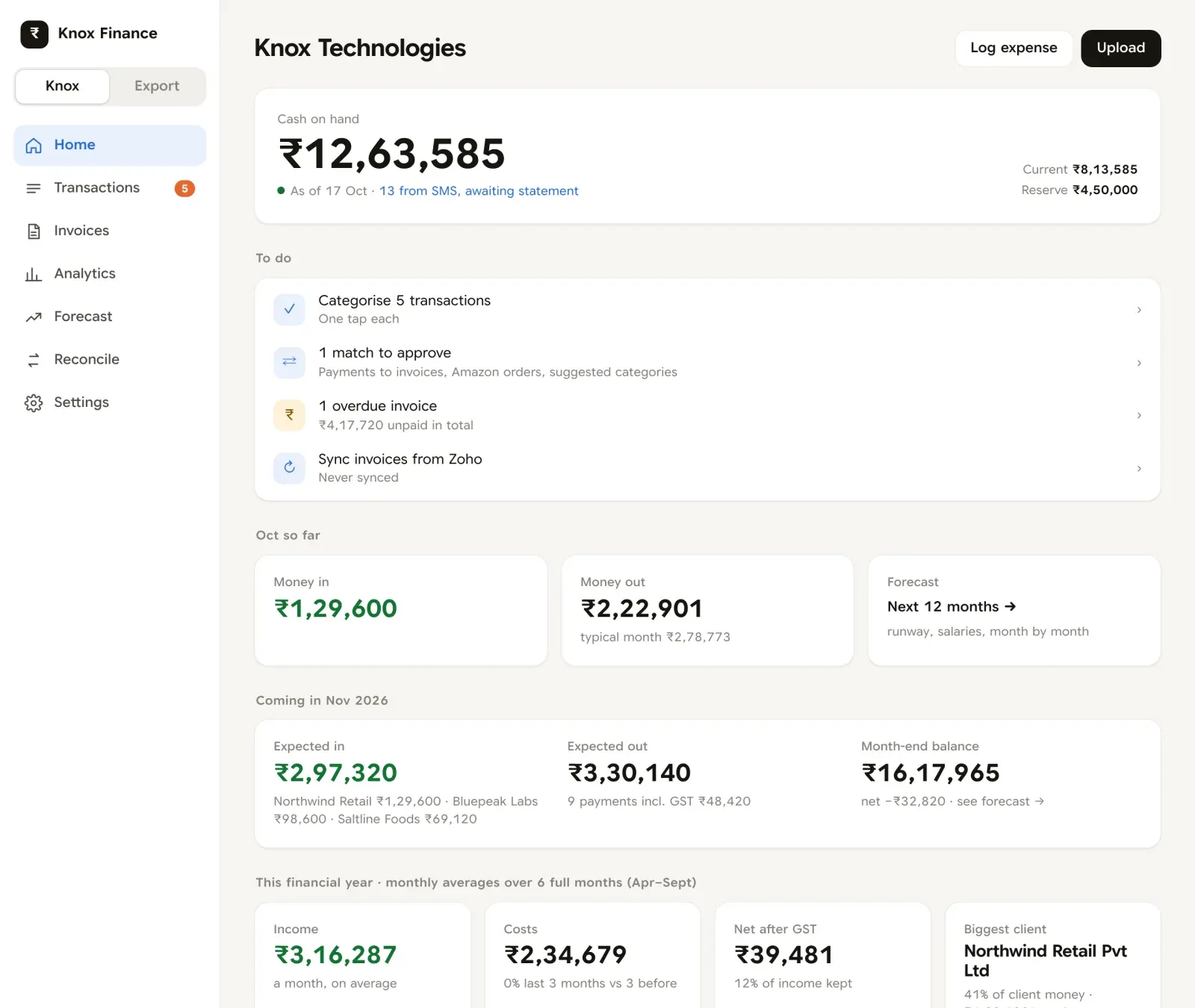
- "What's in the bank?"Before: log in to the bank. Now: the home screen, current to the last SMS, and it says how many rows are still waiting for a statement.
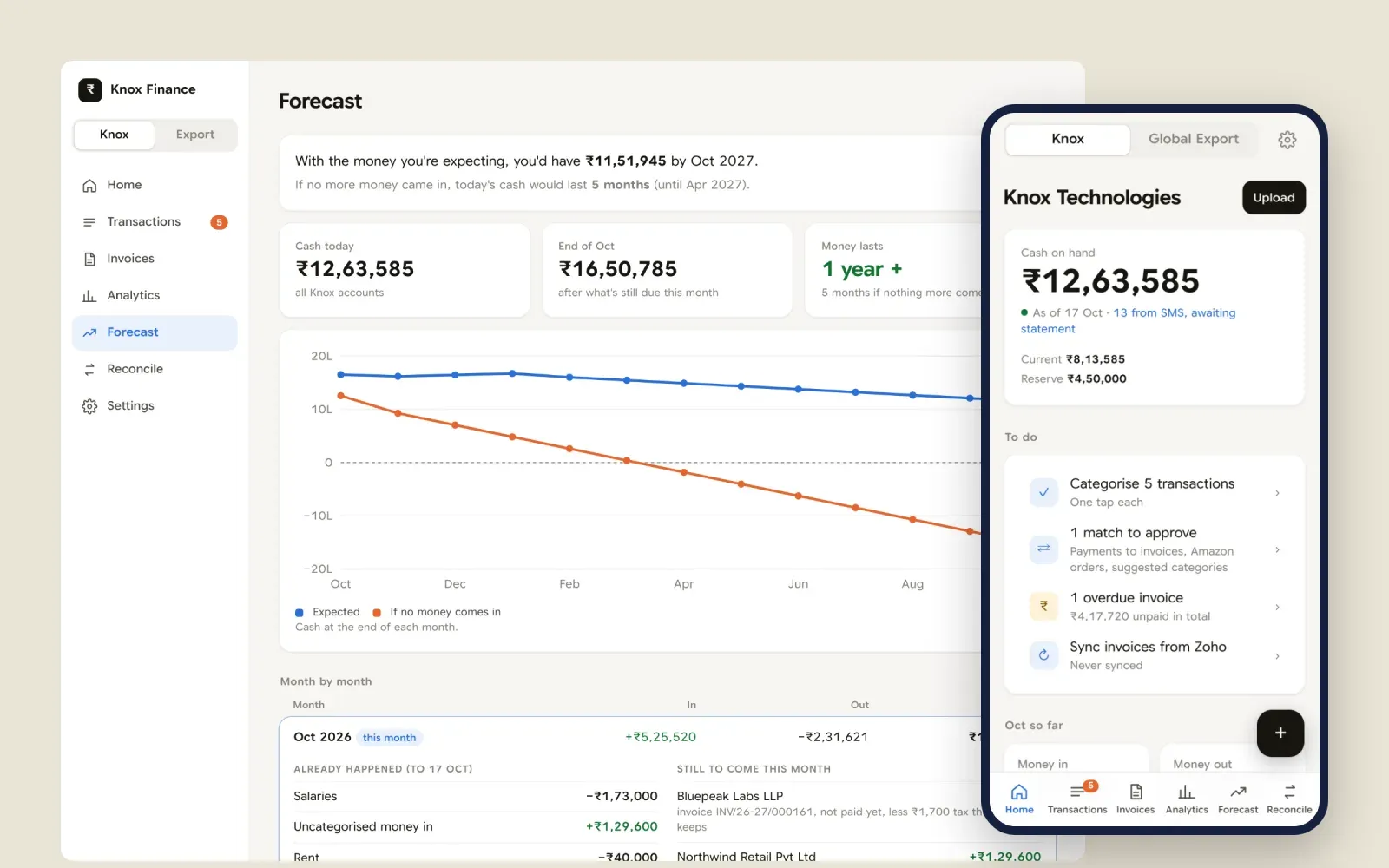
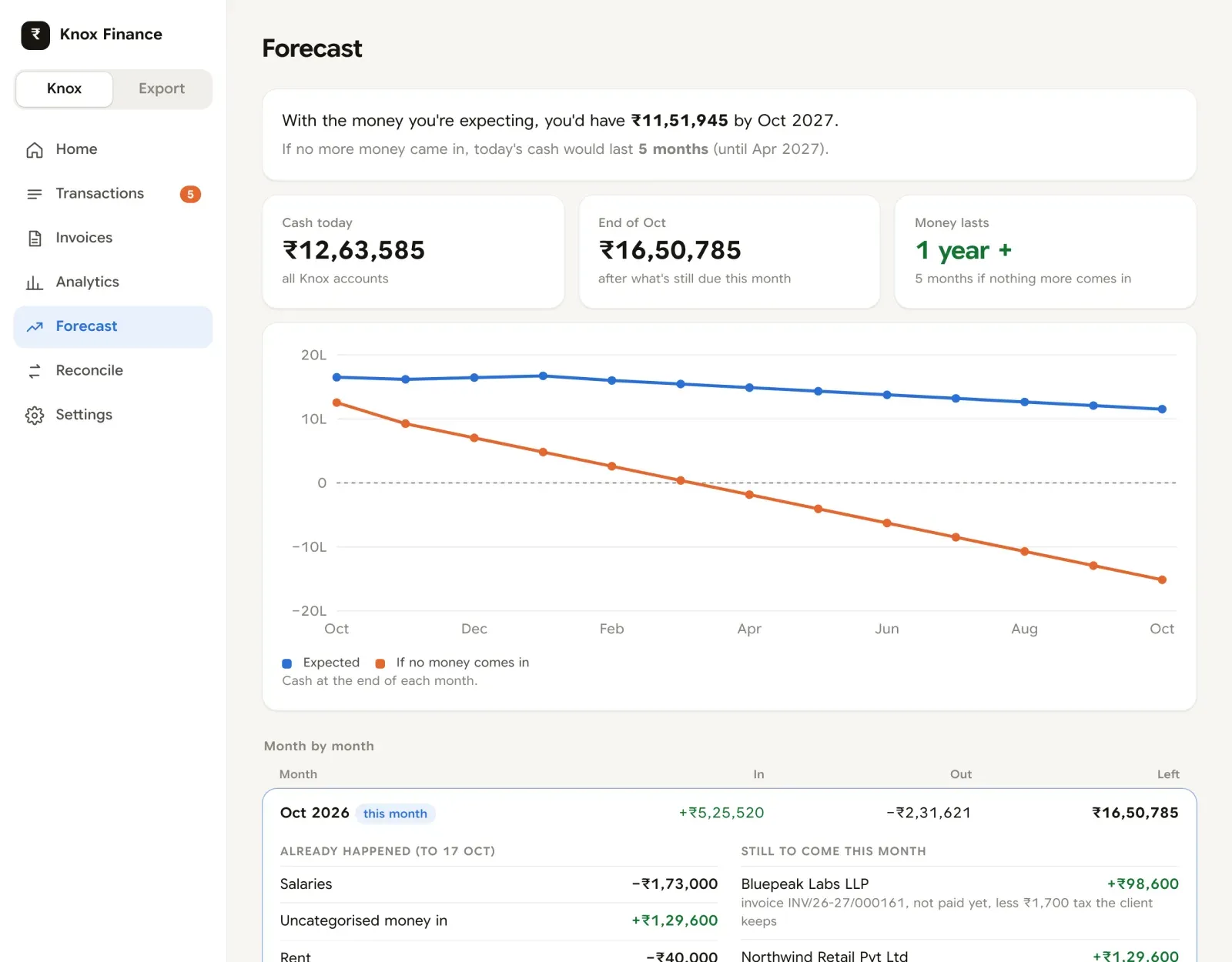
- "How long does the cash last?"Before: a rough guess. Now: one sentence at the top of Forecast, with and without new income.
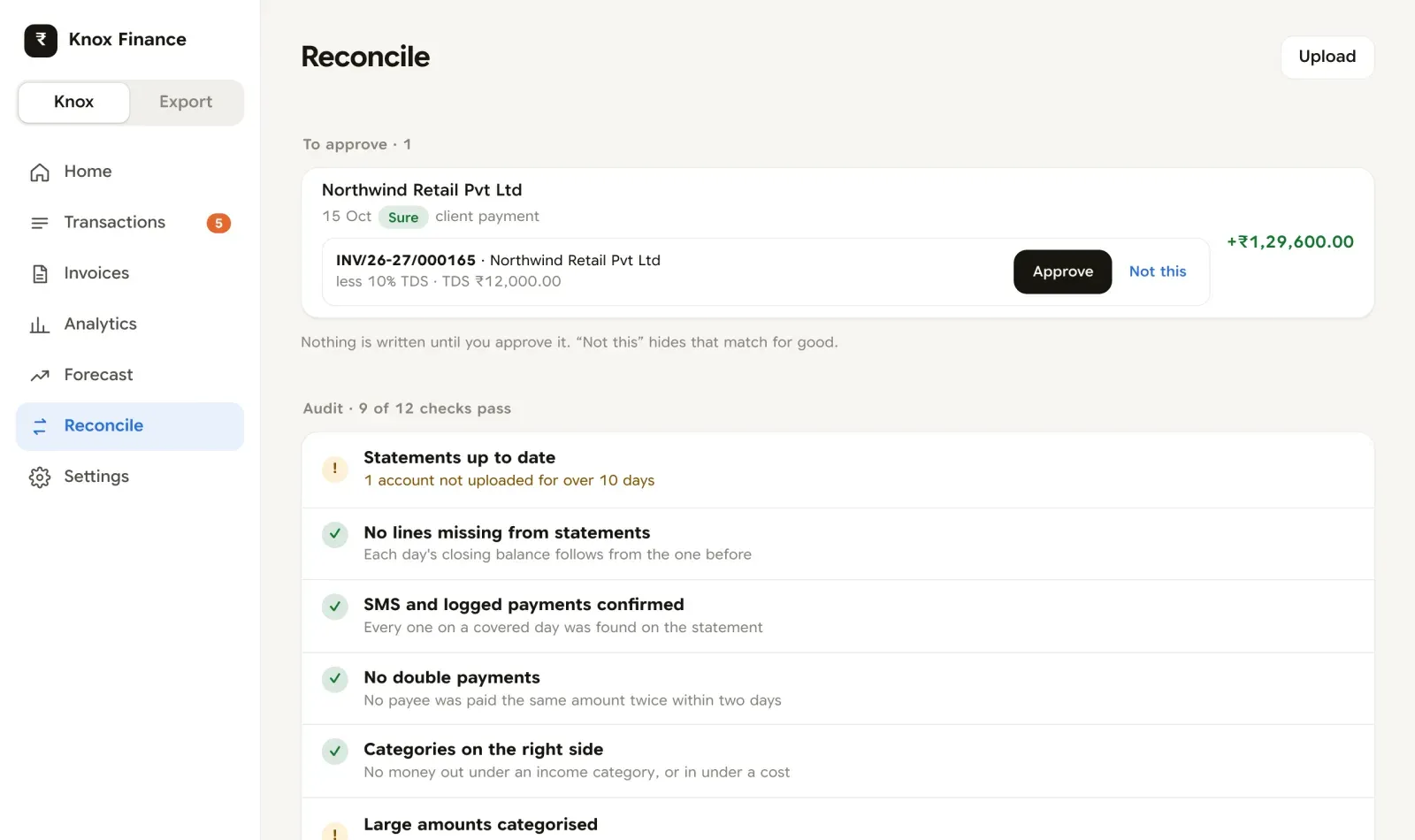
- "Has that client paid?"Before: scroll the statement looking for a name. Now: the payment is matched to its invoice, less the tax the client kept, and waits for me to approve it.
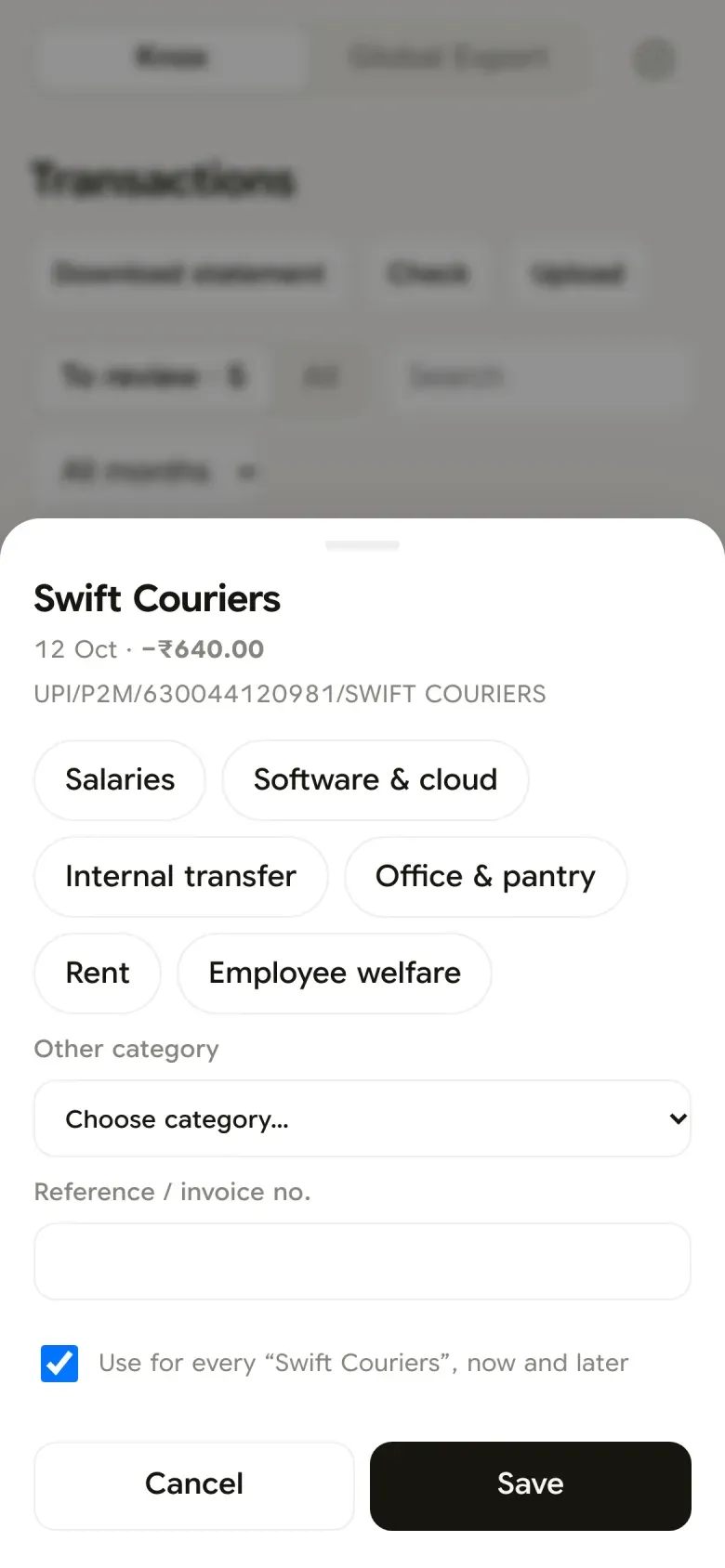
- "What was that debit?"Before: squint at a UPI string. Now: one tap to categorise, and a rule so it never asks again.
- "Is the book right?"Before: hope. Now: a list of checks, like missing statement lines, double payments and gaps in the invoice series.
- "What goes to the CA?"Before: rebuild the statement in Excel. Now: a download in the bank's own layout, with our categories added.
Statements are evidence, SMS is provisional
The bank's statement is the truth. Everything before it is a placeholder that knows it will be replaced.
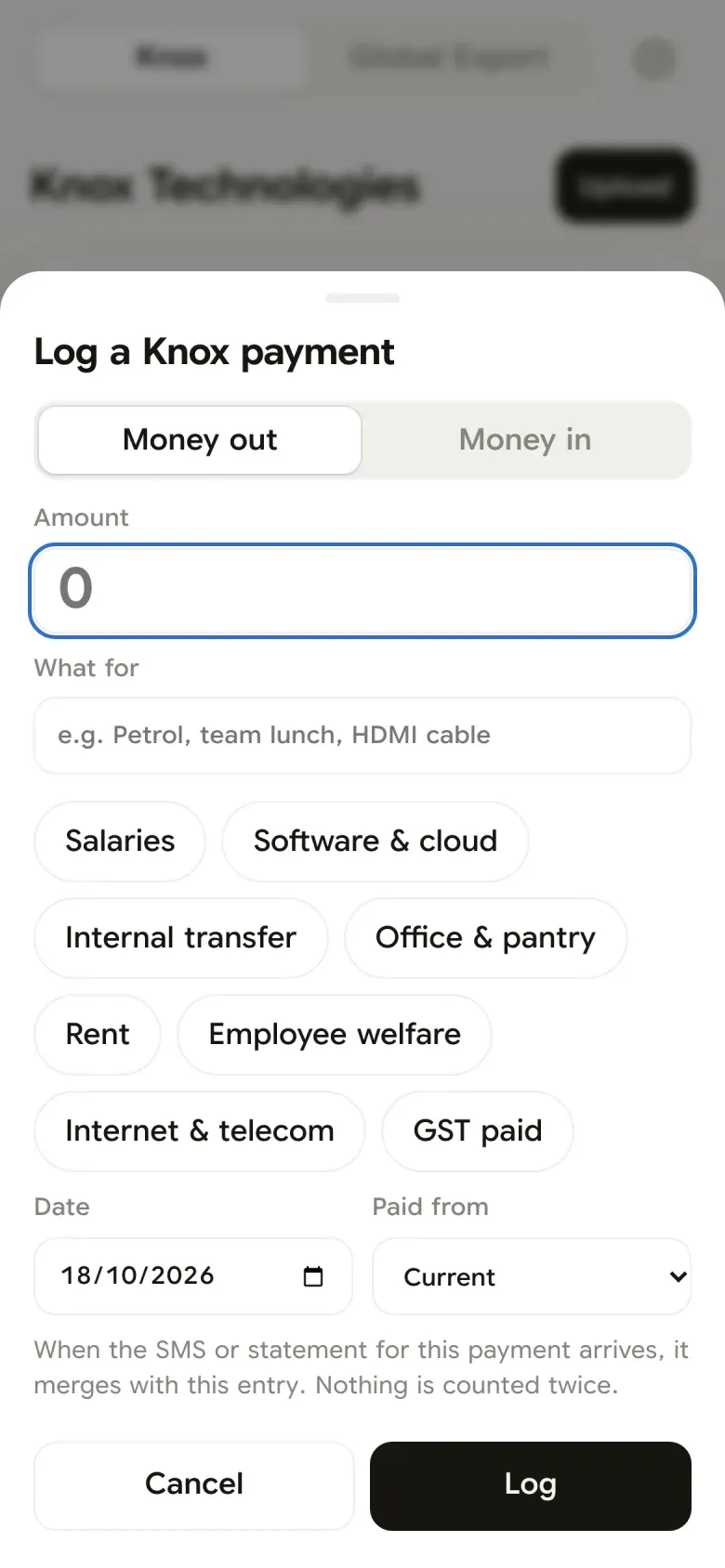
An iPhone Shortcut forwards every Axis SMS to the app the moment it arrives, so the balance moves with the money. When I pay cash or spot something early, I log it on the phone: the amount, what it was for, and a one-tap category. Both are provisional.
When the month’s statement is uploaded, each SMS or logged row finds its statement line, by the UPI reference both carry or by amount within a day, and steps aside. My category and note carry over. Nothing is counted twice, and nothing the statement didn’t confirm is quietly deleted. It goes on a list for me to look at.
Every match waits for a person
The app is good at guessing which invoice a payment settles. Clients deduct TDS at different rates, sometimes pay three invoices in one transfer, and their bank names rarely match their company names. So it proposes, and I decide.
- SureThe client is named and exactly one invoice, or set of invoices, fits the amount.
- Pick oneThe client is named, but more than one option fits. I choose.
- Amount onlyNo name, but only one invoice anywhere fits. Shown, never assumed.
- Not thisRejected matches are remembered, so the same wrong guess is never offered twice.
The forecast speaks plainly
Forecast starts with the month we’re in. What the bank has already shown, by category, and what is still due: salaries not yet paid, invoices not yet settled. Then month by month for a year: coming in, going out, left at the end.
No jargon in the labels. GST is “GST to pay”. TDS is “tax the client keeps”. The plan underneath is a list of amounts I can change, and the whole page moves when I do.
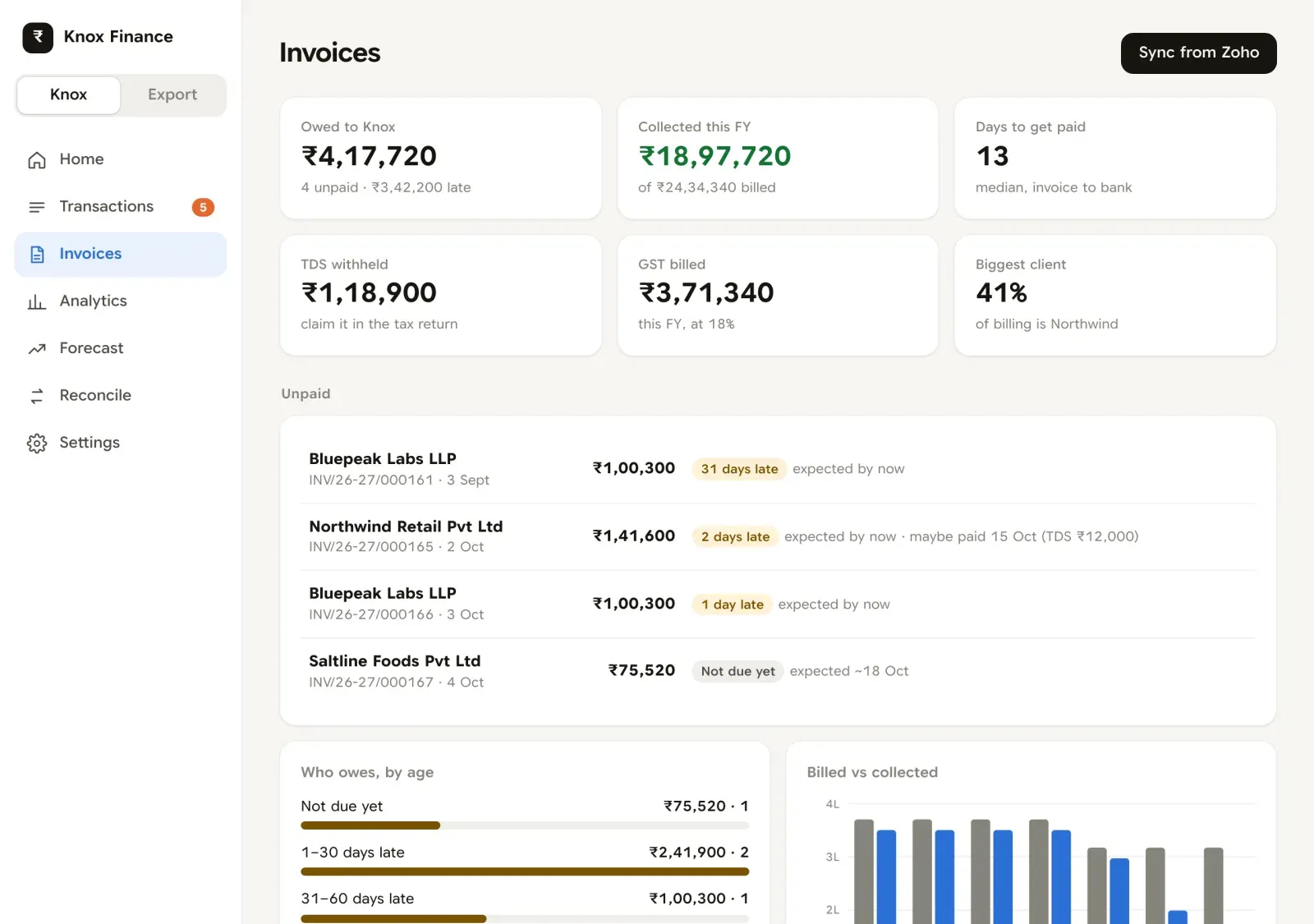
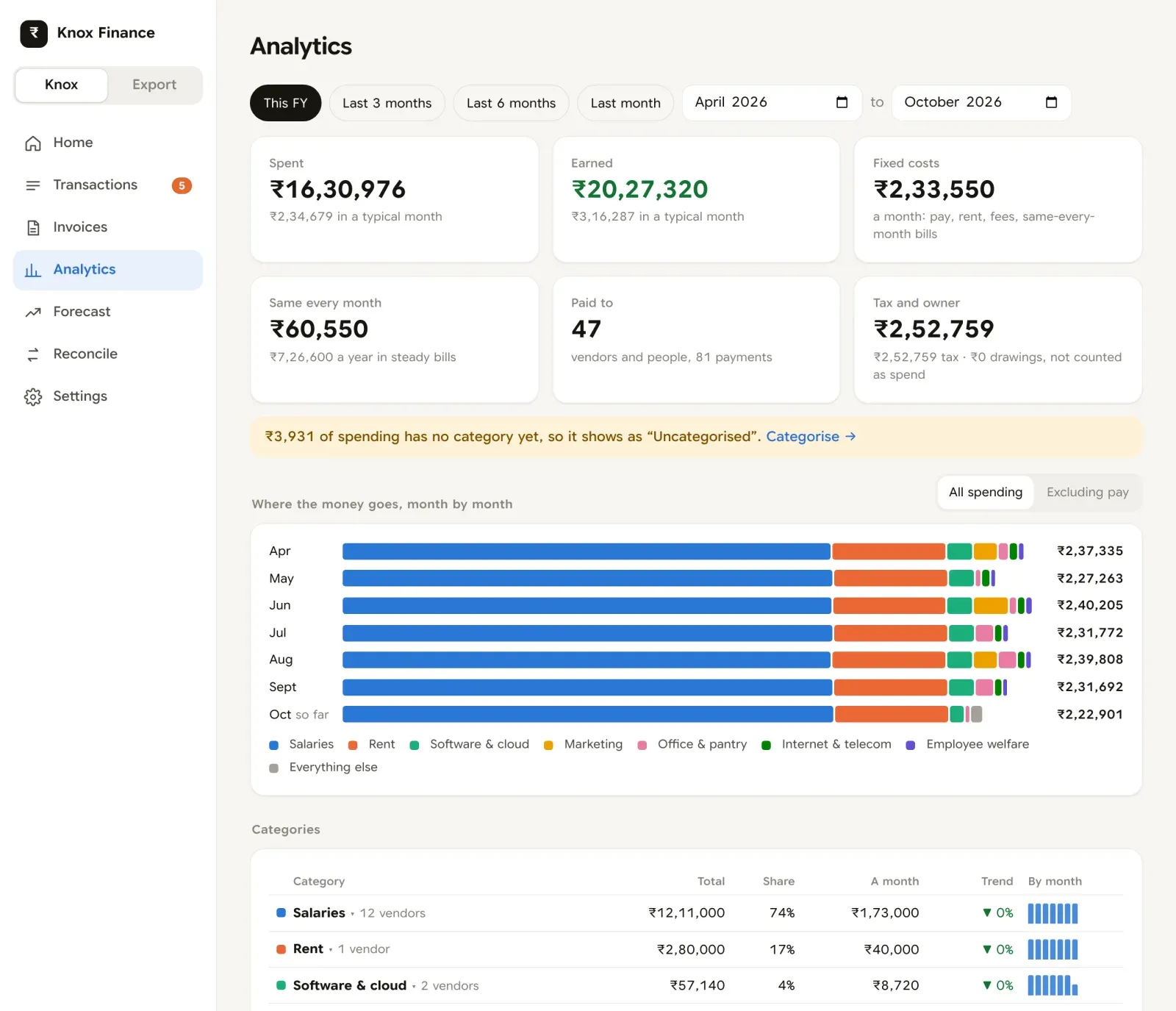
Invoices and where money goes
How it’s built
- HostingCloudflare Pages for the app, Functions for the API, D1 (SQLite) for the data. All on the free plan.
- Front endOne plain JavaScript file, no framework and no build step. It installs to the home screen and works as an app on the phone.
- LogicThe rules (merging, matching, forecasting, audits) are small pure TypeScript modules, so they can be tested without a database.
- Data inAxis statements as .xlsx, Wise's CSV, Amazon Business order reports, the SMS webhook, and Zoho read through its API.
- LoginOne code per device. It fails closed: with no secret set, the site serves nothing.
- BudgetD1's free plan counts every row a query reads, so every response reports its own cost and the dashboard is kept under a fixed budget.
What I learned
- Write the rules down before the code. Most of this app is decisions: what counts as income, which source wins, when a match is sure. Each one has a line saying who decided it and when.
- Let the bank be the source of truth. Every other source is allowed to be wrong for a while, as long as it gives way when the statement arrives.
- Suggest, don’t decide. A wrong match quietly corrupts the book. Approval costs a tap.
- Plain words beat accounting words. “Tax the client keeps” needs no explaining. “TDS receivable” does.
What happened
- 3 ways in bank SMS the moment money moves, the monthly statement, and a read-only Zoho sync. Nothing typed twice.
- 2 books Knox and my own export business, side by side and never added together.
- ₹0 a month to run. Cloudflare Pages, Functions and D1, all on the free plan.
- 49 automated tests on the parts that touch money, run before every deploy.
The honest note
It is built around exactly one business. Axis's SMS format, Zoho's India data centre, the way our clients deduct TDS. It is not a product.
This is the second version. The first was a Python app on my laptop, and it had one rule wrong at its core. It counted my export work as Knox's. Rebuilding meant writing down every rule as a decision, with who made it and when, before writing the code.
Claude can suggest categories for rows I haven't sorted, which sends their descriptions and amounts to Anthropic's API. It is optional, and nothing it says is saved until I accept it.
The app sits behind a login, so there's no public demo. The screenshots are from a copy running on made-up data. The clients, people and amounts are invented.
Not built yet
- Writing back to Zoho. The token can only read today, so marking an invoice paid still happens in Zoho.
- Banks other than Axis. The SMS reader only knows Axis's wording.
- Earlier financial years. Only the current year is kept here; older ones stay in the archive of the first version.